Tag Archive | "motorola"

Editing HD Video with Movie Studio on Android 3.0 / Motorola Xoom [video]

Tags: , , , , , , , , , ,


xoom androidTablets increasingly seem to want to go from companion device to dedicated device, but there’s a lot of catching up to do in terms of productivity before that can actually happen. Today, most modern smartphones are capable of capturing 720p video, that means that if a tablet wants even a chance at being a standalone device, it’s going to need to at least be able to edit those files.

Android 3.0 (honeycomb) comes pre-baked with a Movie Studio application which wowed the press with what appeared to be full-fledged video editing on the tablet. But now that the Xoom [tracking page] is available to the public, we have to ask (and I can’t believe I haven’t seen people be more critical about this): Is the video editing really up to the task? You be the judge:

Incidentally, this video was shot, edited, and processed on an iPhone 4 (but not uploaded, damn YouTube file size limitations!).

Motorola Xoom and Android 3.0 Overview Video

Tags: , , , , , , , , ,


XOOM_high_POV_Home_VZWWe’ve got the Motorola Xoom [tracking page] on hand and have a nearly 30 minute-long overview session for you on video. You’ll be taken around the hardware of Motorola’s first Slate and then we’ll dive into Android 3.0 (Honeycomb).

WARNING: please turn your volume down around 0:30, 16:06, and 17:24. My phone vibrated during recording and it came out very loudly on the video, my apologies!

Field Guide: Verizon’s Six Upcoming 4G Devices – 4 Smartphones, 2 Tablets – Pics, Specs, and More

Tags: , , , , , , , , , , , , , , , , , , ,


verizon 4g lte devicesWith the launch of Verizon’s first 4G (LTE) smartphone, the HTC Thunderbolt, just behind us I thought it’d be a good time to lay down an overview of Verizon’s initial 4G device lineup. If you’re planning on jumping into the 4G action, listen up: these are the devices that you’ll be seeing right down the road.

At Verizon’s CES 2011 keynote, the company announced a goal to launch 10 4G devices by mid-year (which is now being refined to “summer”). Of those 10 devices, four are smartphones and two are tablets.

Availability:

All of the devices listed in this article will be available by this summer, according to Verizon.

As for 4G coverage, Verizon is continuing to roll out coverage to more regions. Take a look at the following map to see if your area is already 4G enabled, or marked as coming in 2011 (be sure to read the map legend!)

http://network4g.verizonwireless.com/pdf/VZW_4G_LTE_Coverage_Map.pdf

We saw the launch of the first of Verizon’s four upcoming 4G phones with the HTC Thunderbolt just a few days ago:

HTC Thunderbolt

htc thunderbolt front-backThe sleek looking HTC Thunderbolt is already in the hands of consumers, and we’ve seen some incredible 4G speed tests so far – speeds that easily outperform my home broadband connection (and probably yours too!). Check out this video from GottabeMobile.com of the Thunderbolt benchmarking 24.30Mbps download and 16.60Mbps upload:

.

This is no doubt very impressive, but be forewarned: Verizon does not anticipate that customers will see these speeds once the 4G waves become saturated with users. Verizon has been claiming from the beginning of their LTE campaign that users should expect 5-12Mbps download and 2-5Mbps upload.

They are getting great press thanks to the ridiculous speed that the Thunderbolt achieves and even though the speed will reduce as 4G devices become more widespread, they are going to benefit greatly because the idea that “Verizon’s 4G is fast” is going to stick around in the heads of the general public much more easily than specific figures. When customers pick up a 4G phone, even after the speeds have come down to 5-12Mbps, they’ll likely still be impressed with the speed if they are coming from 3G.

Specs:

The HTC Thunderbolt isn’t just a data speed-demon, it’s also a top-of-the-line smartphone packed with some impressive hardware:

  • Android 2.2 with HTC Sense interface (unfortunately not 2.3!)
  • Qualcomm MSM8655 Snapdragon CPU @ 1GHz (Qualcomm MDM9600 chipset with LTE support)
  • 768MB of RAM
  • 8GB of built-in memory + 32GB pre-installed Micro-SD card
  • 4.3” capacitive touchscreen @ 800×480
  • 8MP rear camera with dual-LED flash and autofocus, 1.3MP front-facing camera
  • WiFi b/g/n & Bluetooth 2.1
  • GPS, FM radio

It’s also got a sweet kickstand – a hallmark of several HTC devices:

htc thunderbolt stand

I’m disappointed that it isn’t using running Android 2.3, but it seems like almost every upcoming device has this in common with the Thunderbolt. If we’re lucky, we’ll see an update to 2.3 down the road.

What it doesn’t have in common with most other smartphones on the market today is that the front-facing camera is 1.3MP instead of 0.3MP, this should offer a nice boost in video-calling quality (especially over 4G where the bandwidth is there for higher quality video).

Reviews:

If you’re looking for some quality info about the Thunderbolt, check out these reviews:

Next Up: Motorola Droid Bionic

Leaked Droid 3 Photo Shows Improved Keyboard With Dedicated Number Row

Tags: , , ,


Looks like Motorola is working on the successor to their Droid # phones. A photo of the Droid 3 has been leaked over at Howard Forums (hat tip to GottaBeMobile for pointing it out) and in addition to a design that departs from the Droid 2 — and instead harkens back to the original Droid — we can see that the keyboard has received a lot of work.

droid 3 keyboardThe hardware keyboard on the original Droid was a major selling point for many people. Unfortunately, the keyboard really under-delivered. Motorola made progress with the Droid 2, but typing speed still suffered a lot when you wanted needed to punctuate. Here’s an excerpt about the keyboard from our Droid 2 review published last September:

droid 2

Typing alphabetical characters on the Droid 2’s keyboard is like cruising down the highway – using punctuation is like sitting in bumper-to-bumper traffic. The keyboard is speedy thanks to fairly good tactical feedback, but lack of auto-correction that is commonly found on modern OSKs means that you end up having to do more work than you really should. Things get messy when one key is bound with both a shift- and alt-modifier punctuation. Not to mentioned that in order to access the extended symbols list, you have to press alt, space, then tap your selection from the popup menu (taking your fingers from the keyboard slows down the process even more)

Things are looking up for the Droid 3’s keyboard. The keys closely resemble those on the N900 [keyboard section of our review] (which had great feedback and were very easy to type with), but unlike the N900, the Droid 3 has a dedicated number-row (5 rows total) which is very important for speed. By moving the numbers to their own keys, they can free up some of the punctuation congestion that was an issue on the Droid 2 and N900.

Of course, adding an additional row to the keyboard means that you’ll either need to make the device larger, or shrink the keys. In the photo we have, the number-row keys on the Droid 3 are half the height as the others.

nokia n900 keyboardNokia decided to make nice large keys on the N900, and they felt excellent. Unfortunately, they could only fit three rows of keys on the device, and using symbols and punctuation really slowed things down.

Here’s to hoping that the Droid 3 keyboard will combine the strengths of the great key design on the N900 with the less congested punctuation typing that comes with a dedicated number row.

Motorola Xoom Hands On

Tags: , , , , , ,


image

image

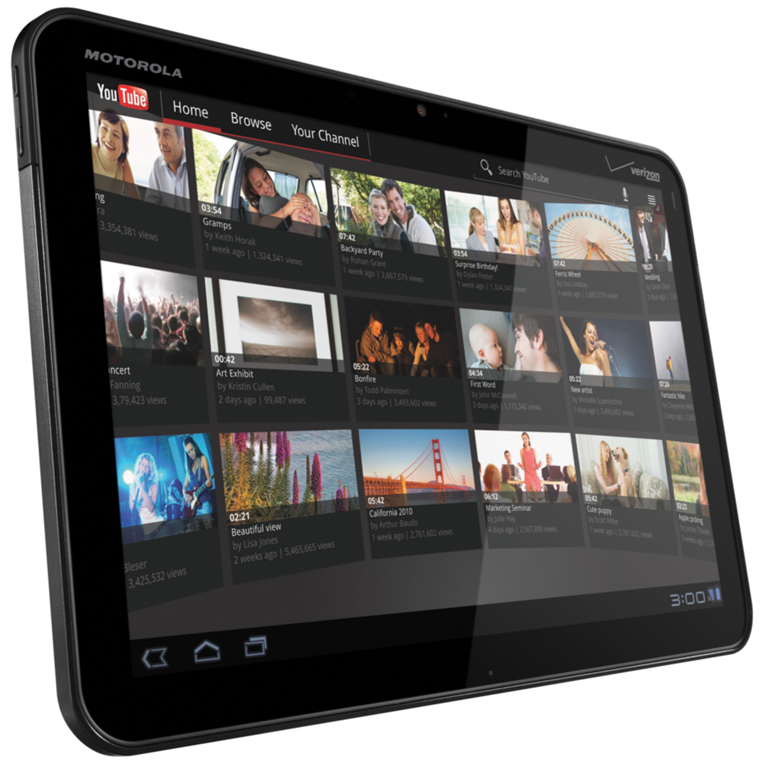
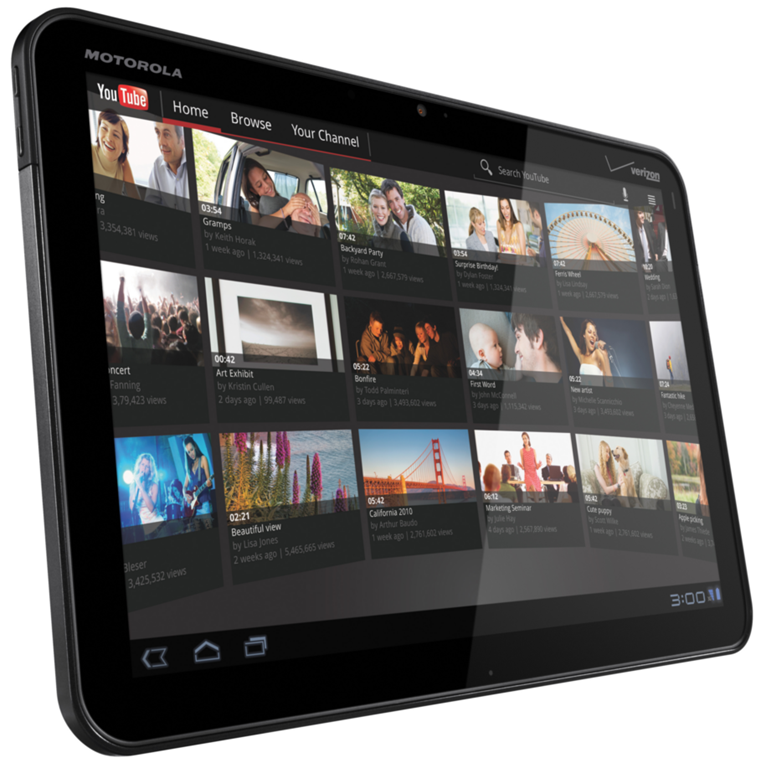
We’ve had a chance to have some hands on wit the Motorola Xoom. To be honest, I’m quite amazed at the difference Honeycomb makes. The multi-pane enhancements make such a difference. The YouTube app has just come alive! Smooth UI (better than the Galaxy Tab) proves that the core has been optimized for a better touch experience too.
I’m impressed, and yet worried about how much it will cost. This is a premium.product that will have a premium price.

We’ve got  a video to show you and will be posting it as soon as we have the chance.

Questions that should be on your Motorola Xoom Checklist

Tags: , , , , , ,


XoomThere is no doubt that the Motorola Xoom / Honeycomb combination has caused a lot of tablet buyers to hold-back on their purchases. It’s understandable because they will want to see what Android 3.0 and the dual-core processor offering really gives them in terms of value for money.

I’ve just finished adding the Xoom to the product database here and was quite impressed. The weight seems good and the additional barometer and gyroscope sensors could be useful when new applications start taking advantage of them. That’s one of the key things to think about with the Xoom though, the apps. How long will it take for applications to go, not only ‘HD’ with 10” screen support at 160dpi but to add fragments and support for multi-threading and the unique features of the Tegra 2 GPU?

I certainly want to get some quality time with the Xoom as soon as possible but in the meantime, I’ve scribbled a few notes down about things I DONT see mentioned in any specifications or marketing information.

  • Video codec support.  While Android 2.0 offers better streaming and media transfer capabilities, it doesn’t add much to the codec support. Of course, you can only include so much in an open-source operating system so it’s up to the manufacturer to add support in for other common formats. I don’t see any mention of WMV or DivX and the MKV container format. OGG? With an HDMI out port you’d expect multiple video codec support AND DLNA certification.
  • Audio. Wireless audio transfer over Bluetooth (A2DP) isn’t easy and isn’t high quality. How about some APT-X support in the A2DP protocol Motorola for some CD-quality wireless audio?
  • Browsing speed. Just how fast is the dual-core processor going to make it. I estimate that 2.2 was about 20% faster than 2.1. That 2.3 added little but that the dual-core CPU under Android 3.0 should add another 20% speed improvement. You’ll be looking at netbook browsing speeds. What’s the tab-limit? Is it still 8 tabs?
  • Battery life. So far we’ve seen average battery life figures coming from Tegra 2. The 2nd core WILL add to the power envelope and with Dalvik attempting to use both cores, it might impact battery life. With a weight of 730gm though I expect Motorola have at least squeezed in a 20wh battery pack. It’s going to need it. That 10” screen is LED backlit from what I can tell.  Would it be nice to have a single-core long-battery life mode?
  • Size. 10” is great for reading large amounts of text and perfect for the new generation of tablet-based magazines and newspapers. Unfortunately, 720 grams isn’t. Watch out for that if you are thinking of going handheld for any length of time.
  • USB OTG. I don’t see any mention of this so there’s no way to plug a USB keyboard and mouse in. Or a USB stick. Or that fantastic idea that Nokia use, the USB OTG TV and radio receiver.
  • Mic Array. For HQ video and audio calls (a feature of Honeycomb) I’d expect to be able to use the device without headphones. A dual-mic array can really help here.
  • HD cam – Does it have continuous auto-focus? Are there any camera features over and above what Honeycomb provides? Probably not. And what about the quality of the optics?
  • Stereo speakers? I only see one speaker port on the device.
  • FM radio / transmitter. FM radio is still the lowest-power method of receiving audio broadcasts. An FM transmitter will help get that audio to the back seats of the car for the kids to watch a video together.
  • Removable battery. One to note because it doesn’t have one, like most tablets.
  • Is the headphone port a headset port?
  • Analogue video out – Unsupported I believe.
  • Stand. Flip out stands are worth having.
  • Voice call capability? SMS, MMS capability. EU video calling?
  • Consumer IR. I still don’t understand why these don’t appear on tablets. A TV-remote app would be the ultimate in laziness.
  • Multi-track audio pass-through via HDMI. If the unit can’t handle AC3 or similar, you might not be able to play the audio. The same problem occurs on the Galaxy Tab and it is annoying!
  • Haptic feedback / vibration notifications
  • Split keyboard for two-handed use in landscape mode?
  • Tethering to phone for non-3G use?
  • Scratch resistant touchscreen?

Is there anything else you’re wondering about?

The Motorola Xoom is going to be a breakthrough device, make no mistake. Honeycomb finally stamps the ‘tablet’ seal of approval on Android and the dual-core Tegra 2 platform is going to shine. There are some nice accessories too but don’t let all the marketing fuzz distract you from your task of finding a tablet that suits YOU! Make that checklist now!

The Motorola Xoom specifications are now in the database.

More on tablet design:

Making a HIT. (Your Checklist for a Quality Handheld Internet Tablet)

Things to Consider when Designing or Buying a Tablet-Style Device

Notes on productivity issues with Tablets:

30 iPad Productivity Problems.

The Most Exciting Thing I Saw at CES: The Motorola Atrix’s Webtop Experience

Tags: , ,


atrixAt this years CES, Motorola announced a number of devices. We saw their Xoom tablet that they’d been teasing prior to CES; we saw their latest Droid phone, the Bionic. But the coolest thing I saw from all of CES this year (not just from Motorola) was their upcoming Atrix smartphone.

Chippy briefly wrote about the Atrix from the show floor, but it’s presence on our site was otherwise lost in the avalanche of news happening during those days. Now that the dust has settled, I can safely say that the Atrix represents something that I’m very excited about. Chippy called it “phone as a CPU” and I think that’s a great analogy for it.

Motorola is calling the Atrix “the most powerful smartphone in the world”, and it had better be as it aims to act as a companion device while you’re on the go, then dock on your desk at home for a desktop computing experience.

This idea isn’t new; those familiar with the UMPC category know about the advantages as an ultra portable device that’s also their desktop. Palm actually tried (well, tried to try) something similar with cellular devices back when they announced their Foleo, but it was widely criticized and eventually canceled. It seems, however, that we’re just starting to reach the point where the smartphone platform has become powerful enough to make this a reality. The Motorola Atrix is just one step in a longer path of truly ubiquitous personal computing, but we’re on our way soon and the experience will hopefully improve from this point on.

So before we talk too much what the Atrix represents, let’s look at the device itself. Here’s the official specs, straight from Motorola:

  • Android 2.2
  • 4” capacitive touchscreen @960×540
  • NVIDIA Tegra 2 AP20H Dual Core CPU @ 1GHz
  • 1GB of RAM
  • 5MP auto-focus rear camera with dual-LED flash (capable of 720p recording)
  • 0.3MP front facing camera
  • 4G HSUPD speeds

A powerful phone no doubt, but also a low-powered computer. Stick it in the laptop dock to get a full keyboard, full screen, and desktop computing environment, complete with a fully functional Firefox browser (not the mobile version, this is legit Linux Firefox). There’s also an HD dock which can hook the phone up to any HDMI monitor or TV, and give you three USB ports for keyboard/mouse/etc. as well as audio output:

atrix laptop dock

atrix hd dock

For more on the Atrix experience, have a look at Engadget’s video:

As you can see, the desktop experience certainly isn’t the fastest in the world, but beyond the device itself, the Atrix is representing an exciting push for ubiquitous personal computing, from one device,  in the main stream and I cannot wait to find out where it leads us.

There’s obviously performance and battery life concerns with this sort of solution, but given the right speed and battery longevity, could this sort of phone-as-a-CPU computing paradigm work for you? Would it improve or stifle your work flow? We’d love to hear your thoughts in the comments.

Motorola Announces First 4G Phone for Verizon, the Droid Bionic – 1GHz Dual-Core CPU, 720p Recording and Editing, “qHD” Display and More

Tags: , , , , , , , ,


Image 1Motorola is stepping up it’s game with a powerful new Droid phone, the Droid Bionic. This is Motorola’s first 4G phone that will take advantage of Verizon’s LTE 4G service. This powerful new Droid sports a dual-core 1GHz CPU and Motorola claims that it’ll be able to record and edit 720p HD video directly on the phone. Looks like Motorola is also going to be providing some sort of integrated videoconferencing functionality to take advantage of the phone’s front and rear cameras, though there isn’t a lot of detail about this yet. I hope we don’t see proprietary videoconferencing solutions from several different OEMs… Google should really  create a universal system for this, but they’ve yet to do so. The Droid Bionic has a “qHD” display (960×540) that levels the playing field with the iPhone 4’s “retina” display (960×640) [note that the resolution difference is due to Android’s 16:9 screen ratio, while Apple prefers 4:3].

We’ve got the full specs for the Droid Bionic straight from Motorola:

  • Android 2.2
  • 4.3” capacitive touchscreen @ 960×540
  • nVidia Tegra 2 AP20H Dual-Core CPU @ 1GHz
  • 512MB of RAM
  • 14GB of integrated memory
  • MicroSD slot with support for additional 32GB of memory
  • 4G / 3G – LTE band 13 / EVDO
  • WiFi b/g/n + Bluetooth 2.1
  • HDMI out (likely mini-HDMI, but it’s unclear)
  • 8MP rear camera with dual LED flash and autofocus, 720p recording at 30 FPS
  • 0.3MP fixed-focus front facing camera

Pricing and availability has yet to be announced, but we’ll let you know when we hear something (possibly at Verizon’s CES conference later today).

Image 2Image 3 Image 5Image 4

Motorola Xoom for Verizon Launches

Tags: , , , ,


image

At the Motorola Press conference, live now, the Xoom is about to launch has launched. The press pics and specs are below.

“The MOTOROLA XOOM is the world’s first tablet with a dual-core processor and Android 3.0 (Honeycomb).”

hero_xoom_accy3

xoom1 xoom2

spec4 spec1 spec2 spec3

Specs:

  • 5MP camera, webcam
  • 1GB RAM
  • HD camcorder
  • 4G option,
  • dual core cpu (Tegra)
  • 10.1″, 1280×800 screen with Gorilla Glass

Weight and price unknown at present.

Launching as a 3G/Wifi version in Q1 2011.

There are two docks and a BT keyboard as accessories…

hs speaker dockhs speaker dockBT keyboard

Click to enlarge and click here to see all pics.

Full press release:

LAS VEGAS and BASKING RIDGE, N.J. – CES –Jan. 5, 2011 – Verizon Wireless and Motorola Mobility, Inc. (NYSE: MMI), today unveiled the innovative new tablet Motorola XOOM™ − the first device on Google’s new Android 3.0 Honeycomb operating system designed from the ground up for tablets. The Honeycomb user experience improves on Android favorites such as widgets, multi-tasking, browsing, notifications and customization and features the latest Google Mobile innovations. Boasting a dual core processor with each core running at 1 GHz, delivering up to two GHz of processing power, and 10.1-inch widescreen HD display, Motorola XOOM gives Verizon Wireless customers a new type of mobile computing experience on a stylishly thin device that is 4G LTE upgradeable.

Motorola XOOM redefines the tablet device category by providing more ways to have fun, connect with friends and stay productive on the go. It allows consumers to experience HD content right on the device, supports 1080p HD video and HDMI output to display content on larger HD screens, and plays video and other rich web content seamlessly with Adobe® Flash® Player. Motorola XOOM features a front-facing 2-megapixel camera for video chats over Wi-Fi or 3G/4G LTE, as well as a rear-facing 5-megapixel camera that captures video in 720p HD. It delivers console-like gaming performance on its 1280×800 display, and features a built-in gyroscope, barometer, e-compass, accelerometer and adaptive lighting for new types of applications. It also features Google Maps 5.0 with 3D interaction and delivers access to over 3 million Google eBooks and thousands of apps from Android Market™.

For working on the go, Motorola XOOM provides constant connectivity − including connecting to Gmail or Exchange email; opening and editing documents, spreadsheets and presentations; and viewing calendars and sending out appointments or meeting notices – with mobile broadband speeds. Its mobile hotspot capability provides an online connection for up to five other Wi-Fi-enabled devices.

“Motorola XOOM is a powerful addition to Verizon’s product lineup and builds on our combined leadership with Motorola to deliver innovative mobile devices and service on the Android platform,” said Marni Walden, vice president and chief marketing officer for Verizon Wireless. “Motorola XOOM gives consumers complete access and control of their favorite personal content and work files whether through our nationwide 3G network, or through our lightning-fast 4G LTE network as it rolls out around the country.”

“Light, powerful and fundamentally different than anything else on the market, Motorola XOOM leverages the very best technology available today to redefine what a tablet experience can be,” said Bill Ogle, chief marketing officer of Motorola Mobility. “The first device to feature software designed specifically for tablets, Motorola XOOM goes everywhere you do and delivers everything you need.”

The Motorola XOOM device will launch as a 3G/Wi-Fi-enabled device in Q1 2011 with an upgrade to 4G LTE in Q2. Starting in Q2 2011 the Motorola XOOM will be a 4G LTE/Wi-Fi- enabled device.

Motorola information available here.

Press Release

Motorola Teases a Tablet… Google Shows it off on Video

Tags: , , ,


motorola veilMotorola recently posted a rather humorous video teaser for an upcoming tablet product on YouTube. Their video isn’t too original with its play on the tablet pun as it runs through various “tablets”, from the Rosetta Stone to the 10 Commandments. There’s a brief and humorous sentence about each tablet, including the iPad “It’s like a giant iPhone but… it’s like a giant iPhone” and the Galaxy Tab “Android OS, but Android OS… for a phone”, then the video pans over to a veiled product with a Motorola logo beneath it. A bee flies out as the video comes to an end, complimenting the video’s description, “we’re buzzing with excitement to be the next chapter in tablet evolution”.

I’m going to say, with a decent amount of confidence, that this device is going to use Android 3.0 (aka Honeycomb).

motorola tabletI suppose I can’t actually claim to be guessing, as I’ve already seen the tablet shown off on video, thanks to Notebook.com’s heads up. During Andy Rubin’s interview at the 2010 D: All Things Digital conference, he whips the device out and takes it for a spin. We’ve got a larger version posted inline for your convenience.

The video is the first time I’ve seen some quality Android 3.0 action, and I’m very surprised how similar to Windows parts of the interface are. Have a look and let me know if you also think you could ask better questions than the moderators in your sleep.

Motorola Droid R2D2 Gallery

Tags: , , ,


IMG_3120We’ve already given you a full Droid 2 review and seeing how the Droid 2 and Droid R2D2 are essentially the same phone, we won’t waste your time doing another. However, we did want to show off the phone’s unique styling and that’s where our handy Droid R2D2 gallery comes into play.

And while we’re here: I believe the Droid R2D2 has actually ever so slightly been tweaked from the Droid 2. There is a more noticeable ledge around the edge of the device which makes the hardware buttons much easier to find and press (something I complained about in my Droid 2 review).

Never Judge a Camera By Its Megapixels

Tags: , , , , , , ,


As nearly every smartphone is expected to have a camera these days, there is an important lesson that people must heed. Cameras are more complex than a simple megapixel rating. It’s a common belief that when it comes to megapixels, bigger is better. But I’m here to tell you that you need to look deeper if you are basing your smartphone decision on which has the best camera. Megapixels have their use. A pixel dense picture is great if you want to crop it down and still retain good quality, but beyond that there is more to be considered.

Case-in-point, the Droid 2 [portal page] and the iPhone 4 [portal page]. Both phones have 5MP sensors. This means that they capture 5 million pixels in a given image. Both phones might capture the same number of pixels, but the quality and size of the sensor dictates how accurately each pixel is sampled and how much light it can capture. Another important factor is focus. Without a good focus algorithm (and no ability to manually focus), you’ll end up with a blurry shot no matter how many megapixels your camera can capture.

To demonstrate this, have a quick look at the two photos below. One is taken with the iPhone 4 and the other with the Droid 2. Both were taken under the same lighting conditions and were focused as accurately as possible (click for full size):

2010-10-12_12-37-44_59

photo (1)

You may have to click for the full-sized images to see, but the image taken with the Droid 2 is blurry and has inaccurate colors.

This is a result of the Droid 2’s camera not being able to capture as much light as the iPhone 4, as well as the inability to focus as accurately. This is all despite the fact that both phones have the same megapixel rating.

But what can you do if you don’t have the phones to try before you buy? A bit of research may go a long way if a camera is important to you. I’d recommend checking Flickr’s camera page. Find your desired smartphone and then browse the photos to get an idea of the photos that the phone is capable of taking. And of course we’ll always do our best to give you camera comparisons and tips right here at Carrypad.

Motorola Droid Pro Surprises With Business Oriented Form-Factor

Tags: , , ,


Image 4 It seems like most of the tech world had come to an agreement that the Droid Pro would simply be the love child of the Droid 2 [product page] and Milestone 2, combining the US and EU bands to form an otherwise perfect replica that would function internationally as well as domestically (with business users in mind).

Instead, it looks like the Droid 2 had an affair with a BlackBerry, and the result is a Droid device which is squarely aimed at business folks (quad-band features included).

The Droid Pro uses a portrait form-factor and has a fixed QWERTY keyboard that is very reminiscent of some of the latest BlackBerrys. It runs Android 2.2 and is mostly on spec with the Droid 2. The only show stopper is the low-res 320×480 capacitive touchscreen.

If you’re a business user who needs world-phone calling, enterprise level security, and Exchange ActiveSync support (and doesn’t want a BlackBerry) the Droid Pro may be the best Android based business phone yet. It supports the following bands: [Voice] – CDMA 800/1900, GSM 850/900/1800/1900, W-CDMA 850/1900/2100. [Data] – EVDO Rev. A, GPRS/EDGE Class 12, HSDPA, HSUPA.

The Droid Pro is expected to be released on the Verizon network in the US sometime soon.

We’ve got the full official specs in our device database as well as a gallery of renders, check it out!

Hat tip to Pocketables for pointing this out.

Limited Edition Motorola Droid R2D2 Hands-On Video

Tags: , , , , , ,


photo Here’s a quick hands-on with the Motorola Droid R2D2. The R2D2 edition is the same phone as the Droid 2 [product page][review] but it has interesting Star Wars branding and content included.

The phone is themed to look like the famous droid from the Star Wars saga and the phone features custom Star Wars themed unlock sliders, live wallpapers, a video, a widget, and an app. The box that it comes in is designed to look as though the phone has been encased in carbonite and the effect is rather convincing, though I think they could have bumped up the box presentation a bit, it’s just a regular old cardboard box with graphics on it (as you’d expect from any regular phone). Some of the stuff is really gimmicky, but I think a major Star Wars geeks might enjoy the phone, particularly for it’s looks. In fact, I know a friend who would absolutely love this thing! The phone launched yesterday in the US on Verizon.

Detailed iPhone 4 vs. Droid X Camera Comparison

Tags: , , , , , , , , , ,


2010-08-09_19-29-18_983 IMG_1899

While I dropped some test images and videos comparing the iPhone 4 and Droid X myself, I wanted to highlight and article over at tnkgrl Mobile which has more comparison info and a detailed write-up of the strengths and weaknesses in the cameras of each phone. If you are looking for a phone with a good camera, you are definitely looking in the right direction with the Droid X and iPhone 4, but between those two, finding which one fits you might just depend on which type of user you are.

Motorola Droid 2 Review

Tags: , , , , ,


IMG_2750 Verizon has revamped its Droid line of Android Smartphones over the last few months. We already looked at the large Droid X [tracking page][review] and today we’re going to walk you through the latest of the three, the Droid 2.

Hardware

As usual, we’re going to start with a spec rundown and a hardware tour. Check out the Droid 2 tracking page for more detailed info and don’t forget about the Droid 2 gallery which includes shots that you won’t find in our review.

Specs

  • Android 2.2
  • TI OMAP 3 CPU @ 1GHz
  • 512MB of RAM
  • 8GB inbuilt storage (6.5GB user-accessible)
  • Included 8GB MicroSD card (slot accepts up to 32GB)
  • 3.7” capacitive touchscreen @ 854×480
  • 5MP camera (capable of up to 720×480 video recording)

Hardware Tour

IMG_2746

IMG_2733 IMG_2730 IMG_2731 IMG_2732 IMG_2737

Motorola Leaks Milestone 2 (Droid 2, EU edition) Video

Tags: , , , , , ,


milestone 2 Jkk points out that Motorola accidentally let slip a Milestone 2 video (the EU version of the Droid 2 [portal page])

No word on pricing or availability yet, but it looks like it’ll be identical to the Droid 2.

Sort Products In Our Product Database By:

Partners

Archives