Since that original announcement, we’ve heard conflicting reports about Samsung’s plans for release in the US. At the end of September 2011, the Galaxy Tab was spotted rolling through the FCC, cementing our belief that it would eventually see a US release, however, months went by after the FCC discovery with no announcement from Samsung.
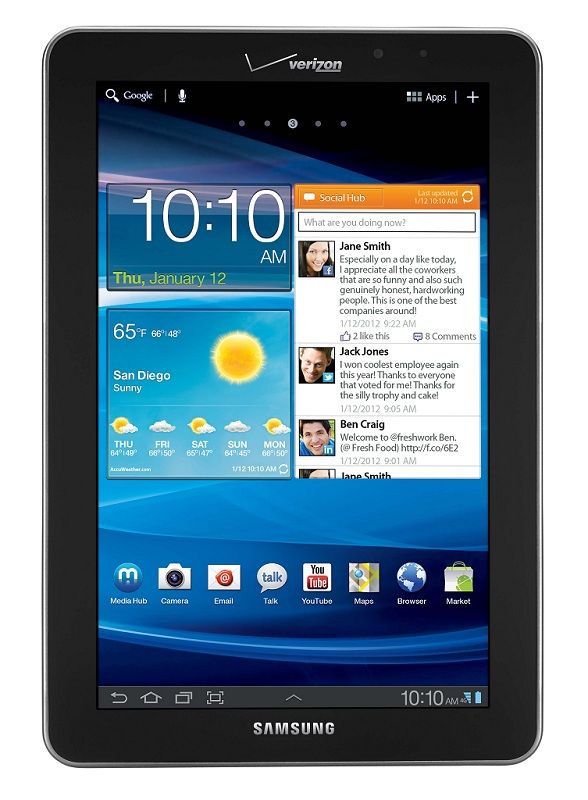
Samsung and Verizon made the announcement that the 4G LTE equipped variant of the Galaxy Tab 7.7 would arrive in the US during CES. The announcement says that this will happen “in the coming weeks”, so we expect to hear more soon. Unfortunately, no Galaxy Tab 7.7 release date or price accompanied the announcement.
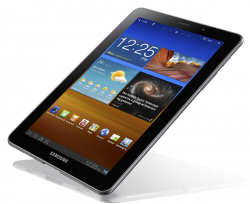
The Tab 7.7 is currently the most premium 7″ tablet on the market with a 1280×800 AMOLED screen, a 1.4GHz dual-core CPU, and now, 4G LTE connectivity. At 340 grams and 7.9 mm thick, it’s also one of the lightest and thinnest. The only thing it’s really missing is Android 4.0 Ice Cream Sandwich, though Samsung says they’ll update the Galaxy Tab 7.7 to ICS eventually. Currently the device runs Android 3.2 Honeycomb out of the box, and it doesn’t sound like it’ll see the ICS upgrade prior to its Verizon US debut. Thanks to these premium features, you can expect to pay a premium price when the Tab 7.7 launches on Verion. Given their current tablet lineup and pricing, I’d expect the 16GB version of the Galaxy Tab 7.7 to be priced between $500 and $600.
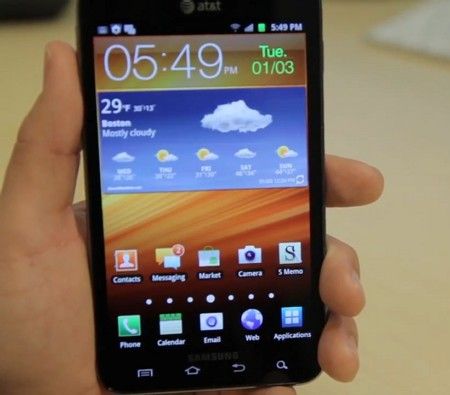
It’s interesting to note that Samsung has decided to launch the Galaxy Tab 7.7 on Verizon and the Galaxy Note on AT&T. I’m not sure if there’s a strategy to that move (it could just be to keep the carriers complacent with exclusives), or if it was just the roll of the dice. No word on this point if either device will go cross-carrier, but I suppose time will tell.
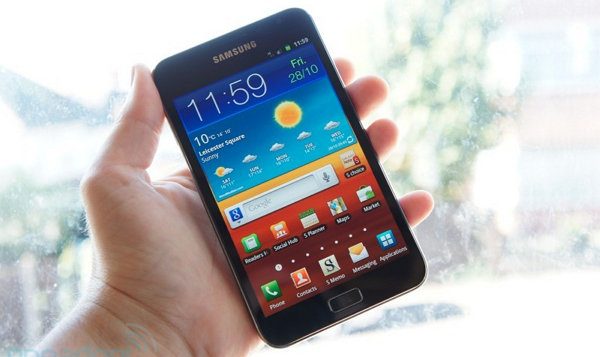
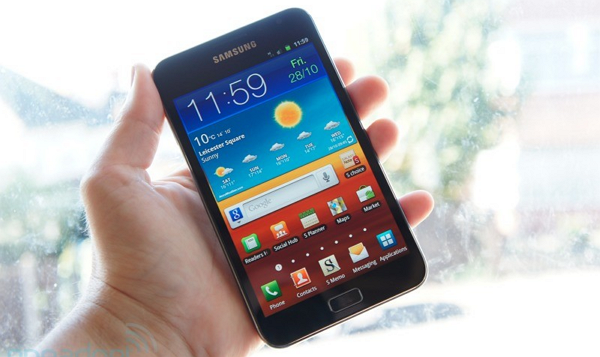
The ever-interesting Samsung Galaxy Note has finally been officially confirmed for release on the AT&T network. AT&T announced the Note in a press release yesterday, alongside several other devices. According to the release, the Galaxy Note is “planned for availability in AT&T stores and online in the coming weeks”. Hopefully, those “weeks” won’t slip into months! Pricing information has not been released, but based on the MSRP of the phone, $299-$399 is a safe bet. It’s unclear at this point if Verizon will eventually offer the Galaxy Note or if this is an exclusive for AT&T.
The Galaxy Note, which is the first modern Android phone to incorporate an active digitizer and stylus, was announced what seems like ages ago at IFA in September. Since then, the Note has gone gone on sale in Europe and elsewhere, but US folks have been unable to get their hands on the phone except through pricey importers.
The Galaxy Note’s active digitizer allows the user to input highly accurate hand-written text. Such functionality has long before been seen on tablet PCs and a few Android tablets, but the Note is the first to include the technology in an Android phone. Chippy has a mini-review of the Galaxy Note alone with photos and videos if you’re interested in the device.
When the Note was first launched, I was a bit annoyed at the massive 5.3″ screen. I still feel like screens beyond 3.75″ or 4″ negatively affect the ergonomics of a phone, but I will admit that in the case of the Galaxy Note, I’m singing to a different tune. The stylus means that you’ll be using the phone with two-hands regardless (one to hold the phone, one to write with), so the argument against a huge screen is somewhat averted. The compromise to enable a large writing area is also one that I might be willing to make (and I know plenty of others who would be happy to make).
Interestingly, in a video accompanied by the AT&T press release, the stylus and active digitizer almost went unmentioned, save for a few seconds at the end. In most of the European advertising material, the stylus was front and center as the most important part of the phone. It seems that AT&T knows that most US consumers (that doesn’t include tech nerds like myself and you!) are looking for an iPhone experience, otherwise they’d be pushing this unique feature much harder.
The Samsung Galaxy Note finally has official confirmation of an eventual US release. I don’t think many of us doubted that it would happen at some point, but Samsung had been outwardly indecisive about a US release of the Galaxy Note ever since some initial confusion over a statement made during IFA in October when the Note was announced. Since then, we’ve seen the Galaxy Note pass through the FCC, which bolstered our confidence that the stylus-touting Note would reach the US. Now Samsung has cleared things up once and for all, we’ll see the Galaxy Note in the US in 2012.
According to CNET, who cites a pseudo-press release that was posted as a photo description on flickr, “Samsung has confirmed that a U.S. launch is in the works for next year but hasn’t yet revealed a specific date”. Given the excitement surrounding the Galaxy Note, and the proximity of CES, there’s approximately a 99.9% chance that we’ll see the Note touted by Samsung at the event. We hope to hear more specific news about the Galaxy Note US release date then, stay tuned!
In addition to confirmation of an eventual US release date for the Galaxy Note, Samsung noted in the press release that over 1 million Notes have been shipped. CNET points out that “shipped” in this case means how many have been sent out to resellers; fewer than 1 million may actually be in the hands of customers.
The Galaxy Note has been holding firm in the top 10 popular devices in our mobile device database since it’s initial announcement back in November. I would call the massive 5.3″ screen way too big except that the Galaxy Note comes with an active digitizer stylus which allows the user to write naturally and accurately on the Note’s ‘Super’ AMOLED display. You can see it in action here from our very own Chippy:
The only option for obtaining a Galaxy Note in the US currently is to go through an importer, but you’d better not be expecting to pay under $600! Once the device reaches US carriers, customers will be able to get their hands on it much more easily, thanks to subsidies that will bring down the $850 MSRP reported by a number of importers.
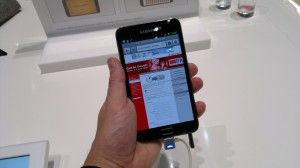
The Samsung Galaxy Note has been available for a while here in Europe so it made sense to get some more hands-on time with it. My first hands-on at IFA was done just minutes after it was announced and I have to admit, there were lots of key features I knew nothing about. The video hands-on was a bit of a mess!!
This time I had 3 hours, an owner and a decent video camera for you!
Note: The street price in Europe is as low as €520 now (inclusive near 20% private sales tax) which is €180 less than the MRRP.
First-impressions were excellent. This is a class-leading Android 2.3 device with convergence, productivity and mobility at its heart, great battery life, a good camera, quality screen and, in my opinion, a good price. The Ice on the cake is of course the news that it will get Ice Cream Sandwich in 2012 (Q1) that will bring out the best of the dual-core CPU and add some key features that, by now, quite a few people will be missing in Android 2.3
Unfortunately, for the Honeycomb-experienced, version 2.3 of Android makes it appear a little dated and the speed isn’t what I would have expected with my 1yr old Galaxy Tab not far behind in the browsing tests we did but I suppose we shouldn’t really be comparing against a 7” device because if you want convergence at 5” this is probably the best choice on the market.
I have a personal problem with convergent devices in that, especially when they are this fast, you tend to use them too much and find yourself struggling with 15% or less battery life in the final part of the day. Forget to charge it overnight and you’ve lost your phone and tablet for the morning hours. But that’s just me.
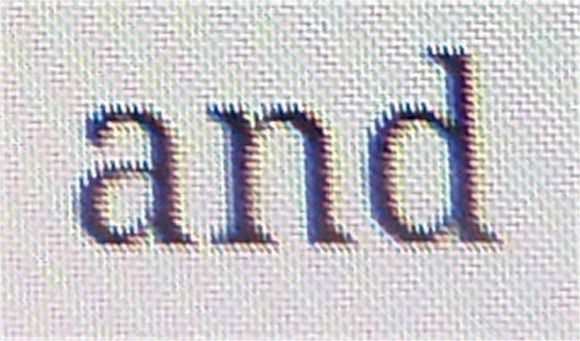
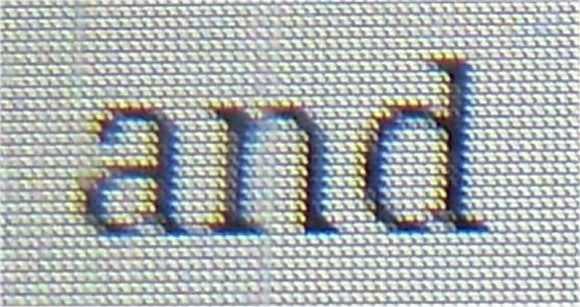
I had a very long chat with the owner, Nils (@thunderstrom99 on Twitter) and took a lot of notes. Firstly I want to tell you about the screen. It uses a PenTile Matrix screen which screen afficionados will know as a sub-optimal technology. OK, when you take a macro picture and zoom-in, you can see the effect…
The sub-pixel smoothing (and anti-aliasing I guess) results in some harsh jaggies. Here’s the Galaxy Tab…
Less jaggies.
But it’s a non-issue for most people because those two images are blown-up to the same size. In reality, the Note has a higher pixel density and you simply can’t see this effect unless you’re tuned-in with near-perfect vision. As someone that can detect out-of-phase stereo speakers by ear, yes, I know there are some people out there that will have a major issue with this but the reality for most people, including myself, is more like this:
Click the image to see the original. On the right is, to my eye, a better reading experience. That’s the Note. [The PenTile screen tends to have some strange hues when viewed off-center. See more images in the gallery]
Outdoors the brightness is nothing to write home about but the viewing angles and glass clarity are better than my Galaxy Tab. It’s good enough.
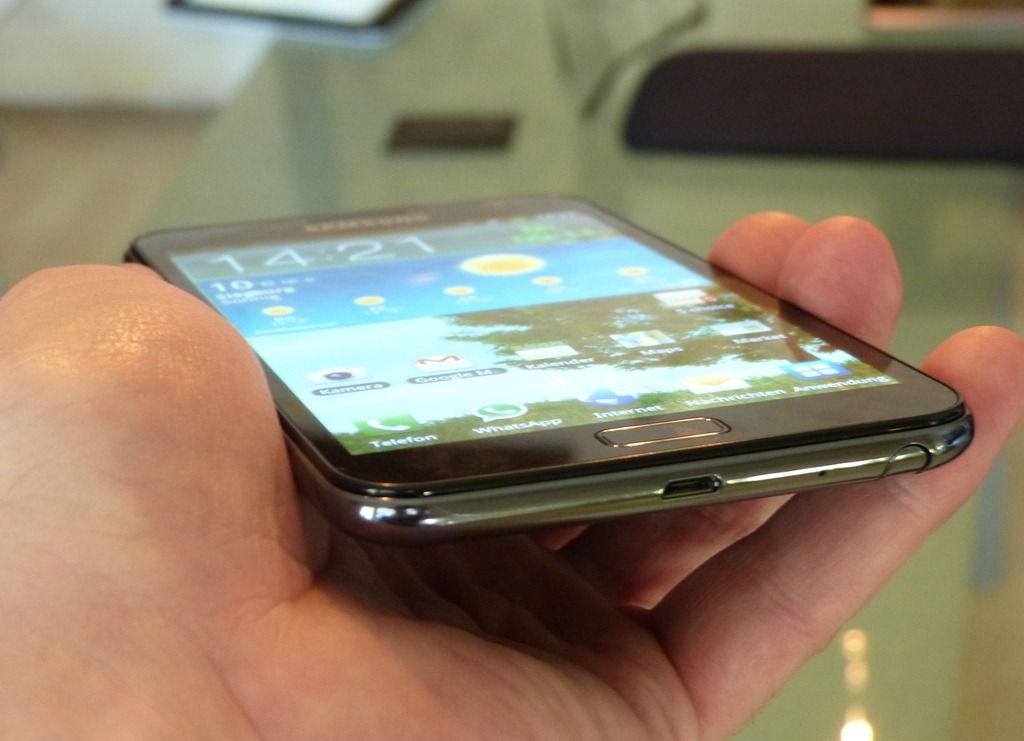
One thing I instantly noticed was the ability to use the device one-handed. It’s not perfect – a little unstable reaching over for the menu button or top left (for right-handers) but it’s possible to, carefully, do most things. I didn’t try swype but I suspect it would work OK with the thumb – an important mobility advantage over tablets.
I took a fairly detailed look at the battery graph and asked Nils what he was getting in terms of real-world usage. It looks like a full 8hrs heavy use is possible which would equate to a standard days use of 10-15 hours in my opinion. As a phone, it’s not ideal. As a tablet, not bad at all. You have to decide how that fits your usage scenario.
On to performance. Android 2.3 isn’t going to return the best dual-core performance figures and a Sunspider test result of 3238 (Galaxy Tab with 2.3.5 = 7450) isn’t as good as I’d expect. A real-world browsing test showed a slight speed improvement over the Galaxy Tab but nothing really significant. You’ll see it in the video below.
One point of note here though is that the Note is quite capable of some heavy multitasking and loading without it impacting the fluidity of the experience. 1GB of RAM and faster CPU cores mean there’s more overhead.
It’s interesting to know how Nils is using the Note. I’ve been in contact with him for about a year after he made enquiries about a UMPC. It turns out that the Note is satisfying all his requirements and he’s got no desire for a UMPC now. In some situations, he’s doing more on his Galaxy Note than he would be on a UMPC. He’s using it at University for note-taking in an interesting way. He says he cant ‘write’ notes about his physics lectures because it makes more sense to take a picture and annotate it. He showed me a few graphs and diagrams on a whiteboard. Yup, that makes sense!
A chat with a a Galaxy Note owner
I took the chance to record 10 minutes of Q&A with Nils. Here’s the result….
Is the on-screen keyboard good? Yes. We did a little speed test between the Galaxy Tab and the Galaxy Note. We swapped devices and did the same test. We were better on our own keyboards but the difference was minimal indicating that the Note could be used for some portrait-mode typing. For a bigger typing experience, obviously the Note can be held in landscape mose and still used successfully. That’s something you can’t do on a 7”er although you’ll lose masses of screen real-estate in the mode. As the Note is only 180gm, it’s almost unnoticeable in portrait mode too.
The Pen, Annotations and Handwriting Recognition
You’ll see the pen being used for annotation and handwriting input in the video below. Although I don’t think it has the level of pen integration that the HTC Flyer has, because the pen is stowed, it’s probably more useful. Annotating an image or screenshot is easy and fun. I’m sure you can add ‘send to PDF’ via a third party app or share. See the video below though for more on the pen, touch, multitouch and gestures. I think you’ll like it.
A few other notes
Sound quality: OK
Gestures for mute and screenshot: Useful
Minute amounts of color banding noticed in a video: Potentially annoying for video purists
MHL port for MicroUSB cable provides charging and HDMI out. Excellent choice. HDMI cable is about €12 apparently.
Swipe across top to brighten/dim the backlight
Video
Summary
What an excellent bit of kit the Samsung Galaxy Note is and it’s the best converged phone/mid/tablet that I’ve ever tested. When Ice Cream Sandwich comes along, it gets even better! I wasn’t a big fan of converged phone/tablet products before this hands-on with the Samsung Galaxy Note and although I still think it’s risky (and battery-draining) to put all your eggs in one basket, I’d certainly be happy to take a Galaxy Note and to hand over my Nokia N8 and Galaxy Tab. I’d miss the N8’s camera for sure and wouldn’t find the Note as comfortable to type on, but I think I’d get over it, especially as I’d be getting a phone and a tablet for around €520
The model tested here is the Samsung GT-N7000
Full specifications in the database along with links to other reviews, articles and our full Gallery.
The curious case of the Samsung Galaxy Note, and it’s larger sibling, the Galaxy Tab 7.7, is one that we’ve been following closely. These two awesome devices were announced to great enthusiasm a few months back at IFA, but their official launch dates were left unspecified. Although I was put off by the Samsung Galaxy Note inititally, I must say that the idea of a pocketable device with accurate digital ink input is rather appealing, even if it wouldn’t work so well in one hand. The real issue, however, is how do we get our hands on one?
At the moment, the Galaxy Note and Galaxy Tab 7.7 go completely without mention on Samsung’s US site. Back during IFA, GottaBeMobile reported some dubious news from Samsung — that the company had “no plans” for a US launch of these devices. Some have interpreted this to mean that Samsung didn’t yet have specifics nailed down for the region, and others think Samsung is saying outright that they won’t be launching in the US. Whatever the case, it’s clear that they are taking a regional approach to distribution of the Galaxy Note and Galaxy Tab 7.7.
Samsung Galaxy Tab 7.7
In the US, it doesn’t seem like the Samsung Galaxy Note, or the Galaxy Tab 7.7, will be launching — not immediately anyway. I’ve got a good feeling that Samsung knows that the Galaxy Tab 7.7 would be good in the US, after all, the original Galaxy Tab is considered to be one of the best selling Android tablets to date, and it was widely available in the US. As for the Galaxy Note, it would seem as though Samsung doesn’t want to push it into the region so soon after they made a big deal about the Galaxy S II which has recently become available across all major US carriers. There’s also the Apple patent cases to consider.
While we can’t be sure that it’s any indication of availability, a brief survey of some of Samsung’s regional sites shows that the device is at least sufficiently featured on their Germany, Finland, Netherlands, and Denmark sites.
For those of us in the US, we’ll need to rely on importers until Samsung decides that it’s time to bring the Galaxy Note and Galaxy Tab 7.7 to the US for an official launch.
Tech importer Expansys has both devices available for pre-order, but neither are likely to be cheap enough for anyone but extreme early-adopters and ultra-niche users. The Galaxy Note is currently listed by Expansys at a steep $945. Expansys has not yet announced a price for the Galaxy Tab 7.7, but is accepting pre-orders.
I’m hoping to see these prices come down some by the time they are actually shipping imported and unlocked units to US customers, but without official sales channels (and thus carrier subsidies), it’s going to be hard to push the prices down on these bits of top-end hardware.
A quick search for some other imports reveals cheaper prices, however, you should always do your research before buying an import!
Are you willing to pay premium import prices for either of these devices, or are you holding out hope that they’ll be released in the US with reasonable pricing and timing? Let us know in the comments!
The Samsung Galaxy Note has a capacitive touchscreen with an activie-digitizer component for smooth and accurate digital inking. It seems Samsung learned a thing or two from HTC, whose Flyer tablet had a stylus which could only be used for drawing in specific places; all interface navigation had to be done with the finger. This created some annoyance because you’d have to switch back and forth between finger and stylus. And let’s not forget that the stylus was an optional accessory!
Not only does the stylus for the Samsung Galaxy Note come included, but you can also navigate around the UI with it. Thanks to some good forethought on Samsung’s part, they even added gestures for the Menu and Back buttons (which are below the main screen and thus cannot be activated with the stylus). This means you can cruise through the entirety of the UI without ever having to switch to your finger — a problem that that HTC Flyer also shared with the beautiful but flawed Nokia N810. There’s a modifier button on the stylus which is used to activate the aforementioned gestures, and you can also use it to pull up a quick note space by double-tapping; this seems like it would come in very handy!
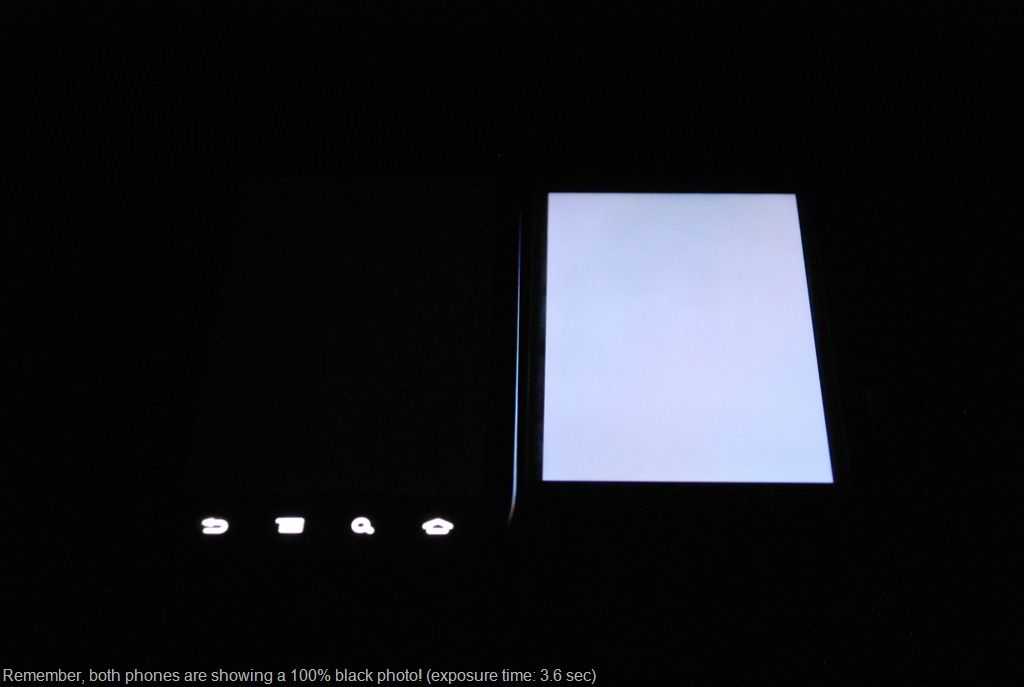
The massive (5.3″) high resolution screen (1280×800) is obviously front and center on the device, and it’s Super AMOLED nature means its got rich colors and deep blacks. This is the same Super AMOLED technology that Samsung used on the Nexus S [review] and the black levels (and thus contrast ratio) absolutely blew me away. I took a photo with a 3.6 second exposure of the Nexus S next to the iPhone 4 with both phones at max brightness and displaying a completely black photo. The results (left) speak for themselves.
I’m sure the massive screen looks gorgeous and crisp, but the size is definitely going to be a point of contention for many. Honing says right off the bat that “Holding something this large up to your ear can be rather unpleasant — and unsightly” but I suppose this won’t be an issue if you don’t tend to use your phone as… well, a phone.
Engadget has plenty more info in their Samsung Galaxy Note review, go check it out!
It’s photo upload time here at Carrypad. We’re sorting through all the images we took at IFA and getting them uploaded for you. You can find hands-on images of the Samsung Galaxy Note below. If you’d prefer video, we’ve got you covered on that front as well with a Galaxy Note hands-on video right here.
Also see official specs, links, stats, and more on the Galaxy Note tracking page in our mobile device database.
As you probably know, Chippy is in the trenches at IDF as we speak type. In addition to a solid hands-on with the devices, he’s also doing testing and keeping us up to date with some audio logs. Let’s first have a look at the blazing speed of the Galaxy Tab 7.7 as indicated by the Sunspider benchmark:
This score, which is thanks to a fast dual-core processor and the latest build of Android, puts the Tab 7.7 at the number 1 position on our Sunspider benchmark chart:
Chippy faily notes that Chrome has improved in performance since then so just I ran Sunspider on a fairly modern Atom based netbook (1.6GHz HP Mini 311 with Nvidia ION) and the scores are comparable with the Mini 311 scoring 1336ms, putting the Tab 7.7 only about 8% away from that score.
This is mighty impressive; here we’ve got the Tab 7.7 which is rated for around 10 hours of battery life, not to mention much longer on standby, and it has browser performance similar to a much larger netbook that has considerably less runtime. Intel might be in trouble…
Chippy Chimes In
Chippy was able to make a little time to share with us a quick audio log with some thoughts on the Tab 7.7 and the Galaxy Note. I’ll let you listen for yourself, but I will say that I share many of his sentiments:
To me, the 5.3” size of the Galaxy Note’s screen means that the device is too big to be an ergonomically designed phone, but smaller than someone would want for a tablet.
As for handwriting input, the Galaxy Note isn’t going to be a useful device if it tries to pull an HTC Flyer and launch a product that has the technology to write on the screen, but no proven usage scenarios.
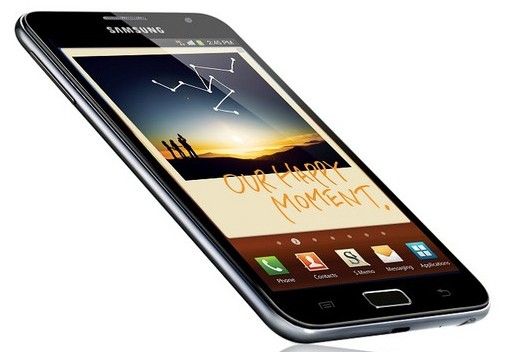
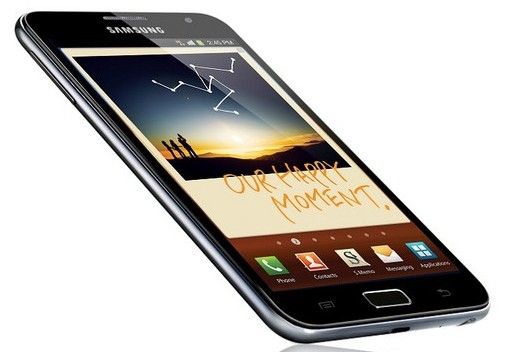
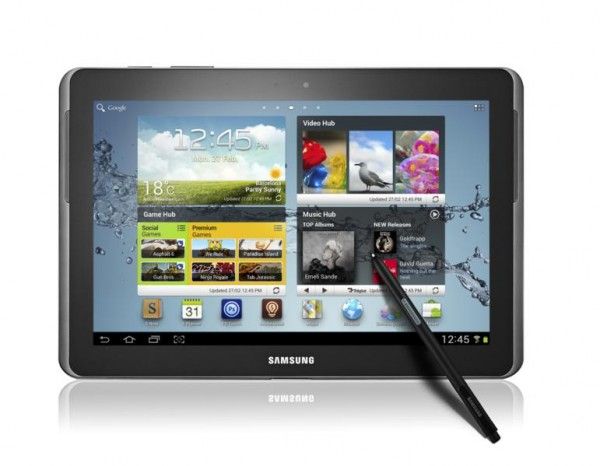
Don’t get me wrong, in my day-to-day activities, I use an HP Tablet PC and I love the touchscreen for digital inking. The difference is that, in Windows, the digital inking experience is built-in at an OS level (and even then it is still criticized). The Galaxy Note, on the other hand, comes with an OS (Android 2.3) which has no core support for digital inking input – everything having to do with handwriting at this point is either proprietary or third-party. I mean, come on! Look at the press shot at the top of this post. Is this really how Samsung things people would use something like this… to draw constellations on a picture on their homescreen and annotate it with some stupid text? There are far more useful ways to use written input, but it looks like no one has figured them out yet on Android.
Naturally, Samsung says that they’ll be including some apps specific for pen use, but it’s yet to be seen if they include any truly useful functionality, or just silly proof-of-concept apps like the ability to annotate screenshots. I’ll be happily wrong if Samsung built some really useful functionality out of the digital inking ability of the Galaxy Note, but I don’t see it happening.
The only points the Galaxy Note will see from me is that the device actually has a built-in stylus silo, so you won’t have to carry it around separately in your pocket. Oh and the Super AMOLED display is likely to look really good!
That’s my take anyway. What do you think, would the Galaxy Note be useful in your life?
Pricing and carrier availability have yet to be announced, but we’ll update as we hear more.
Samsung accidentally packed revealing information in an Android app that was being used to promote their presence at this year’s IFA. Among the information revealed is the names of three devices, the Samsung Galaxy Tab 7.7, the Galaxy Note, and the Samsung Wave 3. Presumably the app was designed to unveil that information after IFA starts on September 2nd, but someone peeked into the files and found them ahead of time.
We can get the Wave 3 out of the way quickly. It is clearly a successor to the Wave 2, a phone running Samsung’s own Bada OS.
I’ve been watching, with great curiosity, for the sequel to the Galaxy Tab. By some accounts, the original 7” Galaxy Tab may be the best selling Android tablet to-date, even if it isn’t running the tablet-optimized Honeycomb. I’ve been hoping that the ever-handy 7” size of the Galaxy Tab 7 wouldn’t be left behind in favor of the Galaxy Tab 8.9 and 10.1. It looks like Samsung will answer those hopes at IFA… but not without adding 0.7” to the screen size.
First, a look a look at the past, to inform our view of the future:
Samsung had announced, not quite a sequel, but an enhanced Galaxy Tab 7” back during CES in January. This device was going to have a slightly faster (higher clocked) CPU, an upgraded rear camera, and Verizon’s 4G LTE connectivity. Oddly, this device never made it to market (even though the WiFi-only Galaxy Tab, announced along side it, did). While it hasn’t been officially canned by Verizon or Samsung, I think it’s safe to say – 8 months after its announcement – that Samsung has moved on to release a true sequel rather than a ‘1.5’ device.
Several months after that announcement at CES, while the device failed to materialize in physical form or advertising, we began to see rumors of a dual-core CPU that might go with a new Galaxy Tab 7, and it’s probably safe to say that Samsung will not release a new Galaxy Tab without a dual-core CPU (considering that the Tab 8.9 and 10.1 are both dual-core).
Now we can’t help but say that the new Galaxy Tab will use a 7.7” screen, as the naming convention can’t be ignored. This means that Samsung will be using an entirely new display in the device, causing many to speculate that it will be one of the famous Samsung AMOLED displays. While SlashGear does point out that Samsung demonstrated a 7” AMOLED display at a conference last November, it still may be too expensive to include in a consumer targeted device at this time. What we may see is a pixel-dense 1280×800 7.7” display, or maybe Samsung just wanted a slightly larger display with the same 1024×600 resolution as the original Galaxy Tab 7.
On the topic of the operating system, I actually prefer Samsung’s customized Android 2.2 that is used by the original Galaxy Tab 7 over Honeycomb. Though I usually hate Android skins, Samsung’s implementation for the Tab 7 actually did a great job of making the phone-oriented OS into a useful tablet interface. Leaked photos show the four classic Android buttons that are found on phones (and on the Tab 7), so our bet is that the Tab 7.7 won’t see Honeycomb, but will instead end up with a custom 2.2 or 2.3, or perhaps it would be the perfect candidate for Ice Cream Sandwich, which Google says is going to bridge the gap between the tablet and the phone versions of Android. It should be noted that the inclusion of the four capacitive Android buttons on the bezel does not necessarily erase the possibility of the device shipping with Honeycomb. After all, the 7” Acer Iconia Tab A100 has a home button on the bezel, even though it ships with Honeycomb.
As for the release date, I’m sure we’ll get more info soon, but it doesn’t hurt to use that handy leaked Verizon roadmap where we can. One of the devices on that roadmap is something called the “Galaxy Tab P8” which is likely to be either the Galaxy Tab 8.9 or the Tab 7.7. The device is listed for a November 1st release, which is only about two months away!
One might jump to note that 7.7 is closer to 8 than 8.9, but this likely has little do with the size and more to do with the product model number (for instance, the original Tab 7 is the P1000 range, while the 10.1 is the P7000 range). The P8000 range could be the 7.7, or the 8.9, (or any unknown device for that matter), we just can’t say for sure at this point.
Galaxy Note
Now this is where it gets fun. We know little about what Samsung’s Galaxy Note is, but there’s room for exciting speculation. My money is on a 10.1 Honeycomb device with a sliding form-factor like the Asus Eee Pad Slider, and I’ll tell you why.
We saw something exactly like this from Samsung at CES, except it was running Windows 7. It was said to become available in March but, like the enhanced Galaxy Tab 7 (also announced at CES), it conspicuously disappeared, and I’m betting it has been transformed into an Android device.
Chippy wrote about the sliding Samsung Windows 7 computer on UMPCPortal in January noting “I like the design but I’m also seeing a 1KG Windows tablet which is just a little too heavy and not running the right OS for some of the consumer tablet scenarios that are taking off”. That was 8 months ago, but Chippy may have hit the nail on the head.
A trusted anonymous source tells me that they have seen a sliding prototype much like the Windows 7 Slider from Samsung, and they saw it after the Windows 7 slider was shown. Among other things, the prototype was slimmer than the Windows 7 slider and the screen slid up to reveal a full keyboard and trackpad.
If this prototype made it further through the design process, it may be just what Chippy was looking for; a lighter device with a tablet-optimized OS. Considering that the Windows 7 version vanished, this may very well be the case.
I’m hoping that the Galaxy Note is indeed a slider as I totally dig the form-factor.
More Detail to Come
IFA begins September 2nd and Chippy is on the scene, which means you should definitely keep your eye on Carrypad for hands-on and plenty more info on both of these devices and plenty of others.