Tag Archive | "ui"

Intel launches MeeGo Tablet User Experience – Hands-On and Info.

Tags: , , , , ,


Remember that cool-looking tablet user experience we saw back at Computex?, well it’s back and it’s official. It’s now the official Tablet User Experience for MeeGo.

We’ve had a close look at the demonstration, seen below on an ExpoPC, and talked to Intel’s Michael Richmod, the marketing manager for this product. Developers attending the Applab this week at MWC are going to get a pre-configured Meego tablet to walk away with and the Meego image, built with the latest 1.2 beta, will be available for download later this week.

panels_blackbg Chat2

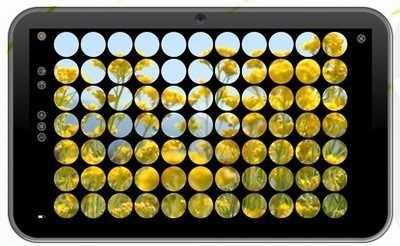
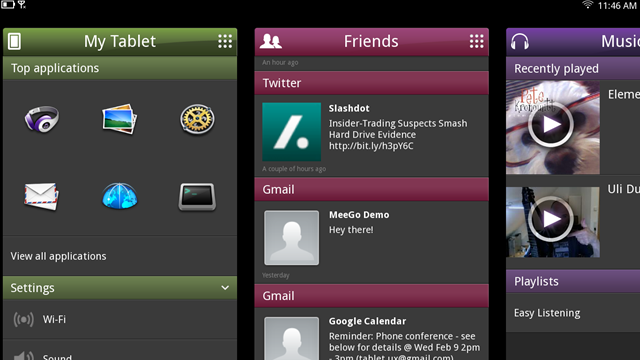
Intel have completely re-written the ‘panels’ user interface in QML (Qt Meta-Object Language) that now enables Intels customers (remember this isn’t an end-user product) to customise the UI. Intel tell us that this enables them make customisations and, by having a baseline to work from, to shorten their time-to-market figures. Note that QML also enables 3D acceleration in the UI.

This isn’t the first time we’ve seen a deck of panels in a tablet UI (cough*webos*cough) but remember, these panels are really apps in their own right rather than representations of running software. Each panel flips to offer customisations, a nice feature. It would be great to see each running represented as a panel and we hope, really hope, that Intel and the MeeGo teams have made it easy for developers to create new panels. UI customisations will be difficult without a range of panels to choose from.

There’s no filesytem exposed in the UI but the UI does retain certain desktop features like ‘right-click’ which is implemented as tap-and-hold through the MeeGo applications suite. Also missing is a centralised notifications system although there could be a panel for that!

The MeeGo build and user experience is currently only for the ExoPC hardware (also seen used in other manufacturers devices, WeTab included) but the Lenovo S10-3T will be supported soon. Intel wouldn’t comment on Moorestown and Oaktrail target products – possibly because there aren’t any that are officially available yet! We hope that problem sorts itself this week because the MeeGo stack badly needs some sexy hardware. Take what HP did this week as an example of an OS, dev tools and products being presented as one bundle.

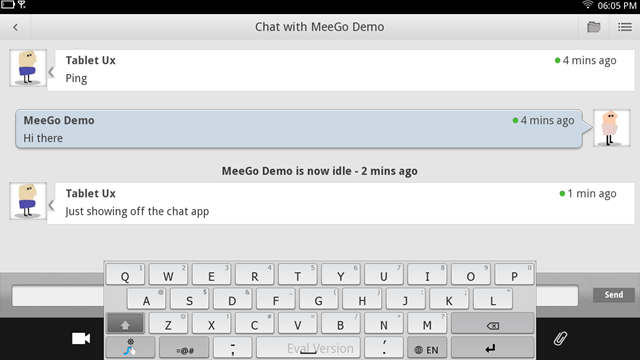
As for apps, Intel have chosen the Chromium open-source browser rather than the Firefox Mobile option that has been talked about for the handheld user experience. Although Intel partners can choose other options, we don’t expect that to change (although an official Chrome build would be nice.) You’ll also find an email  client, calendar, video player with open source codecs, audio player, social network subsystem, sharing subsystem, image viewer, instant messenger  and the configurations pane. We didn’t spot AppUp or any other way to attach to Linux repositories although do remember that this is Linux to the LSB standard.

Intel are welcoming feedback on this build and do plan to turn around iterations based on that feedback. The Intel Atom Developer Program is the forum for that.

Al in all we think a lot of people are going to be excited about this. The response we had on the original panel demos at Computex was overwhelmingly positive. We’ve got reservations about the notifications system, and would have liked to see multitouch support, easier app switching, some more advanced demo hardware, Appup, third party applications [breath…] and we have ongoing questions about QML, the Nokia owned product that slipped from it’s mainstream positioning last week. Is it enough to beat WebOS and Honeycomb? With this full-fat Linux stack leaning a bit more to traditional computing architecture and with Oaktrail and Moorestown products coming soon, there’s definitely an opportunity here for a fully productive operating system with a quality touchscreen-UI. We’re trying to think of another 7-10” tablet-focused operating system that offers a full desktop browser and the opportunity to span consumption and productivity scenarios. We can’t!

Stay tuned as we get briefed on products and plans today.

Motorola Xoom Hands-On and UI Demo

Tags: , , , , ,


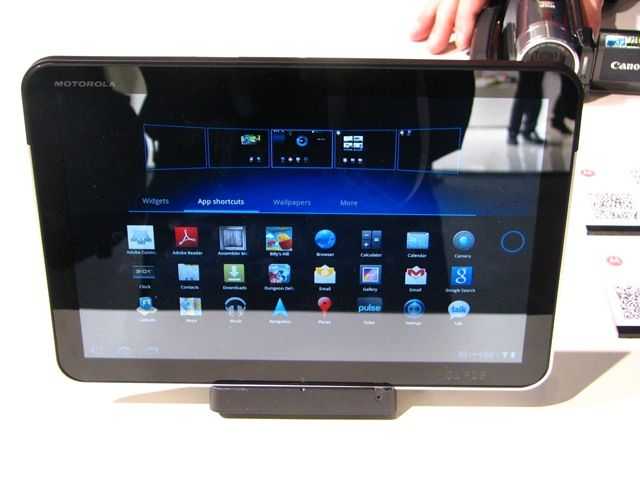
In a previous post I highlighted my surprise at how different Honeycomb really is. The UI is totally different, the apps totally re-worked and obviously the core has been optimised for fast touch response. Check it out in this video from MWC 2011

Motorola Xoom (4)

MeeGo Handset User Experience Progresses

Tags: , , , , ,


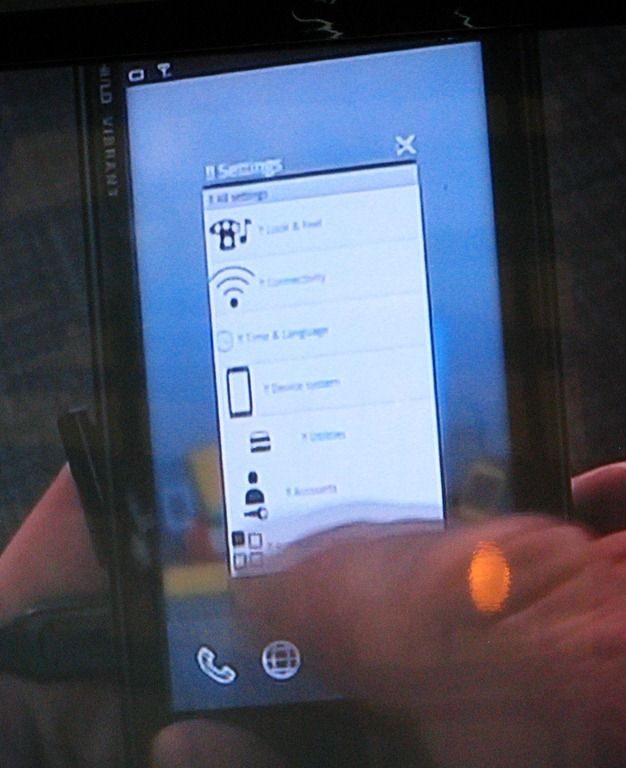
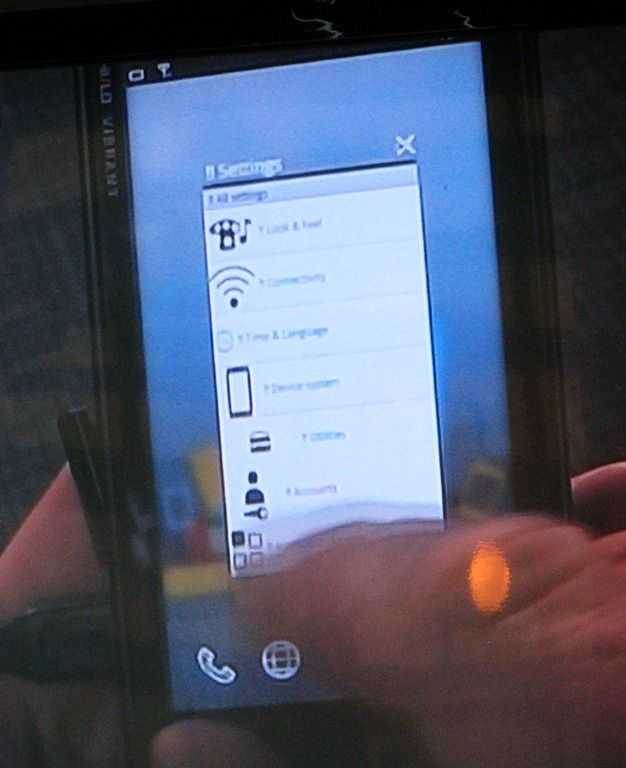
IMG_5944We were lucky enough to get a few days with the Aava / Intel / Meego phone earlier this year and our tests with the handset UX showed that there was a lot of work to do. In a presentation at the MeeGo onference in Dublin today, we saw progress, a good working demo and future planning but still, there’s so much missing. Granted, these user-experiences are just baseline builds to show how the core features can be used but still, it seems to us there are some hooks that need to be added.

With no active icons support (showing number of unread emails for example) and a single homescreen with no widget support it means that product developers will have a lot of work to do to implement these features. On the other hand, the notifications subsystem looks good with support for multiple notification types triggering multiple different notification methods including notification lights, haptics and of course, dialog boxes. We didn’t see any dialog box handling mechanism though so we’re hoping this will be well controlled when it gets implemented.

The demo was done on a Moorestown based Aava Smartphone platform.

Linpus Lite, MeeGo and Slate Edition (video)

Tags: , , , , , ,


IMG_3506

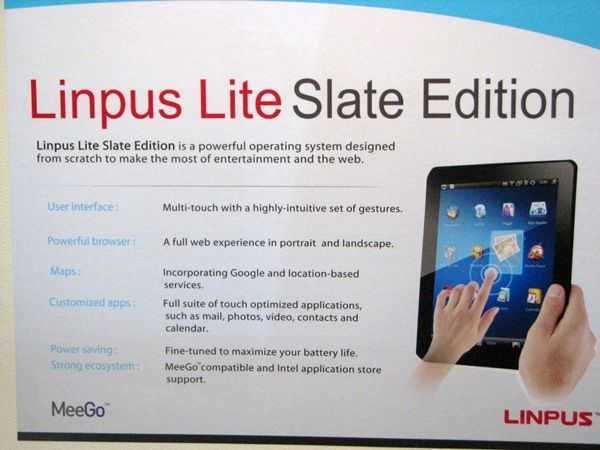
Linpus are working on Linpus Lite Slate Edition and, in-line with Intel Moorestown and Oak Trail-based products, is planned for tablet PC’s of 2011. We took some time to speak to Linpus about Lite and MeeGo too.

Linpus Lite appears on Acer Netbooks and is expected to be the distribution that will appear on Acers’s MeeGo netbooks.

The video was shot just before the Intel keynote in which the MeeGo tablet UI was announced.

WePad Live Demos Analysed. Ubuntu Spotted.

Tags: , , , , ,


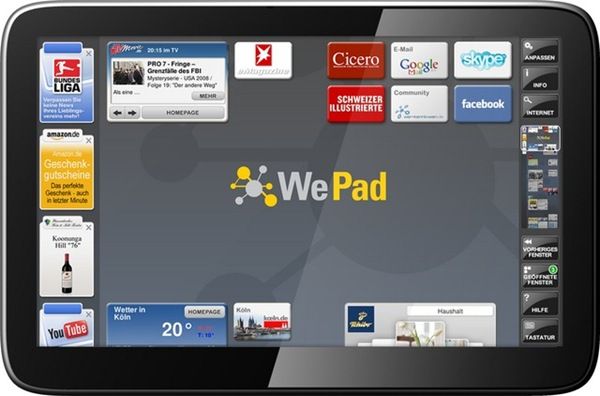
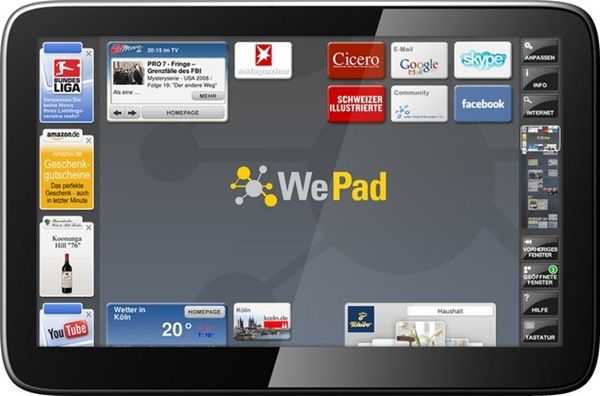
wepad_homescreen Sascha Pallenberg, MeetMobility podcaster and editor-in-chief at Netbooknews attended a recent WePad live demo and has posted his videos. They’re in German but I’ve been through them and pulled out some of the important points here. (Luckily I also speak German.)

The most important take-away is that this is not an Android-based Linux build as first thought. It’s a heavily modified Ubuntu distro with overlay software. The Android aspect is likely to coming from Canonicals Dalvik runtime which will provide some Android application support but don’t expect the Google Marketplace or Google Apps such as Maps, Mail or Sky to be running on this.

Below you can find the notes I made as I went through the video. Some of the notes are my own thoughts and conclusions and not information taken direct from the video.

More information on the WePad is available in our WePad information page.

Read the full story

MeeGo at IDF. Netbook and Handheld Eye Candy, Chrome, Fennec and Lots of Developer Details.

Tags: , , , , , , ,


MeeGo gets an outing in China this week as Intel takes its developer-focused conference, IDF, to Beijing. As I write this, Intel’s Lynn Wang, Strategic Relationship Manager and Rao Yeleswarapu, a Product Marketing Manager have just finished their talk on MeeGo Technology and Benefits. Danny Zhang, Senior Engineering Manager and Horace Li a Software Engineer with Intel have also given a technical overview talk.

Update: MeeGo 1.0 for Netbooks is now available.

As always, Intel publish the slides from the talks and they contain some great new information. I’ve picked out a few interesting slides from the first presentation which also include the first images of MeeGo’s handheld reference UI for smartphones.

Netbooks.

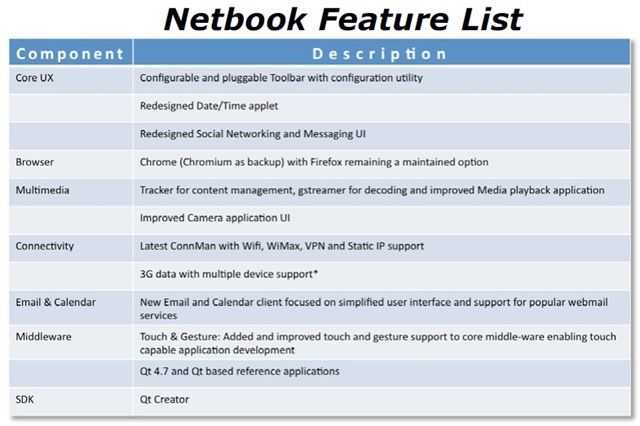
First off, lets look at the Netbook feature list for MeeGo (we assume 1.0) which confirms a previous tidbit that I picked up from DevMob (that apparently, shouldn’t have leaked.) Mozilla’s browser will be replaced by Chrome (or Chromium, the open source browser.) Quite how significant that if for Mozilla I don’t know but it’s something that should generate quite some discussion.  [Sidenote: There's been a lot of Google/Intel/Android/Chrome rumors lately. Relationships are definitely good and don't forget, Intel is part of the OHA. Stay very closely tuned to the Linux Foundation Collaboration Summit which starts tomorrow and runs for three days. Intel, Nokia and Google are all there. I wish I was too but i'll be glued to the live stream as much as I can.]

MeeGo-Netbook

You’ll also see that the social messaging app is to be redesigned (the application on Moblin 2.1 very very thin indeed) along with the camera application,email and calendar and date/time app. Best of all, the media application will get an overhaul. Again, the media app on Moblin was extremely basic. Remember that what drops out of MeeGo is not necessarily what you’ll see on netbooks. These code drops (starting with 1.0 in May) are for 3rd partys to take and build on so what you see in V1.0 is not what you’ll see in a final, retail build delivered on a netbook.

In other news, a number of companies have just re-affirmed their support for MeeGo as it transistions out of the Maemo brand. Note that Canonical isn’t in the list. That’s what happens when you move to an RPM-based distro I guess!

Note that the promised touch and gesture support is in there although I don’t see sensor support yet. That’s important for GPS. (It is, however, mentioned in other parts of the presentation.) Also missing is any mention of an application store. Intel’s AppUp is available for Moblin, OVI for Maemo so I wonder if this is simply left out of the core and left up to the OEMs. Remember that happened with Skype on Maemo 5, hopefully that particular relationship, optimisation and integration will spread over to netbooks.

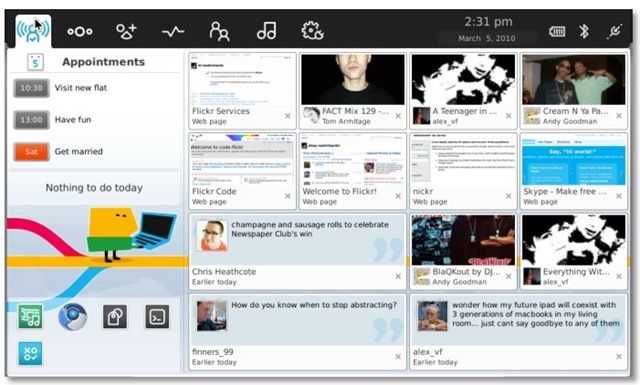
As for netbook eye candy, here’s a snip from the presentation. I don’t know if it’s the proposed 1.0 UI though.

meego-netbook-ui

The center column has been dropped from the home zone and filled out with social network tiles. Having used these on Moblin, all I can say is – inefficient. 13 status updates on a 1024×600 screen is not an efficient way to use the device for anyone remotely familiar with making friends on the Internet. Let’s hope that the MeeGo UI teams offer an ‘advanced’ front end. Again, it’s not clear if this actually is the UI for release 1.0 though. Update: It is!

Handhelds.

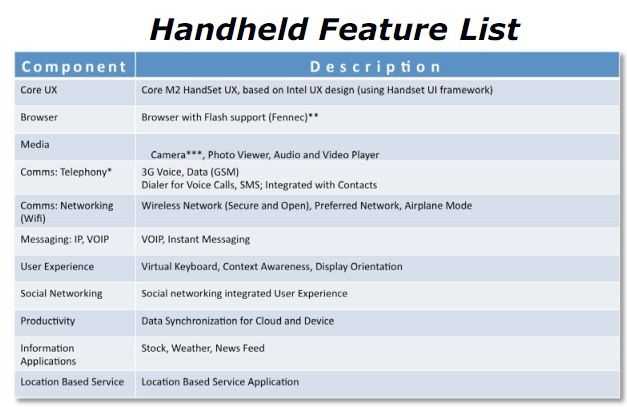
It’s not clear whether this is Intel’s proposal here of if this is 100% agreed between Nokia and Intel but this is what Intel have to say about handhelds using Intel architecture.

meego-handheld-features

As you can see, Fennec, the mobile browser from Mozilla, has been chosen to present the Web. You’ll also get Flash support. Contacts and dialer functions will be integrated (as you’d expect) and there will be VOIP (it will be interesting to see if carriers want that ripped out) and instant messaging. I’m happy to see that the social networking ‘integrated experience’ is mentioned because this is an excellent core feature on the Maemo 5-based Nokia N900. Data sync is also provided along with an LBS app indicating that at least GPS sensors will be supported.

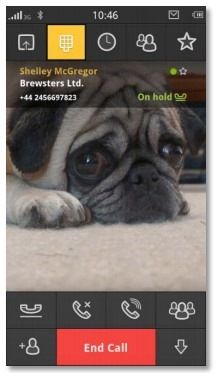
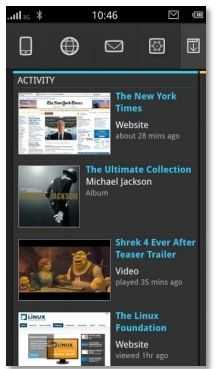
And now for the smartphone eye candy, including cute doggie!

Meego-handheld-ui-3 Meego-handheld-ui-1
Portrait mode support. N900/Maemo fans rejoice! Note the interesting activity stream in the first picture.
One would assume that emails, tweets and other network events can be included in that stream.

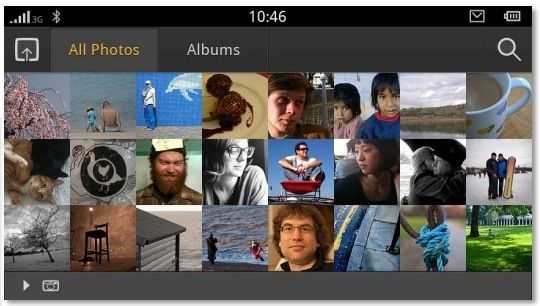
Meego-handheld-ui-2

This is typical understated European styling and I bet Nokia were heavily involved here. Personally I love the design but remember, once again this is just a reference design. It’s the sort of UI you’ll see if you take the 1.0 build and drop it on an Aava Moorestown reference design (which I’m trying hard to get hold of) and possibly, the N900. As I said before, I’m not sure if this is Intel’s proposal for the handheld UI or an agreed, across-the-board Nokia/Intel final reference design. We’ll see in May when V1.0 drops.

Timescales.

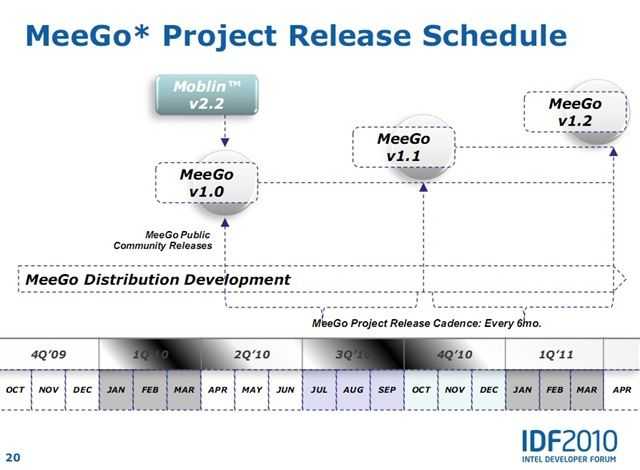
I mentioned the roadmap on my MeeGo journal a few weeks ago and Intel have re-affirmed those in a nice easy-to-understand slide.

meego-timescalesThe key date for me is the v1.1 release in the latter part of October. That’s when the MeeGo Summit is likely to occur and it’s right in the Q4 timeframe for product availability. LG GW990, Nokia Nxxx and who knows what else we’ll see. Interestingly, the U.S-based Intel Developer Forum will be in the middle of Sept so it will be interesting to see if Intel and partners have products to announce. October will be a very exciting time and wherever that MeeGo Summit is, i’ll be there!

MeeGo Developers.

You’ve got your very own PDF to browse through too but this slide just smacks me in the face…

meego-stores

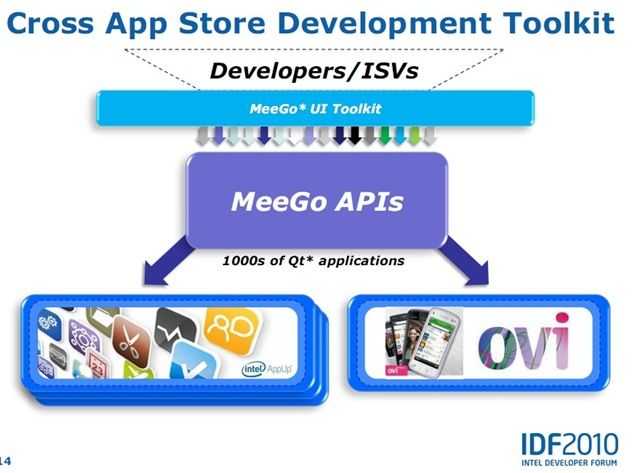
‘Cross  App Store Developement’ is something special for devs to consider. The diagram doesn’t actually do the feature justice because it omits to mention the Intel app-store framework that can be used to make branded 3rd-party app stores. One API, many stores, many devices. In a separate presentation on the AppUp store I saw this… line. “World’s largest potential TAM (for a single API) “ When you think of the opportunity there, the mind boggles. Smartphones, Netbooks and the many many devices in-between including home, car and TV.

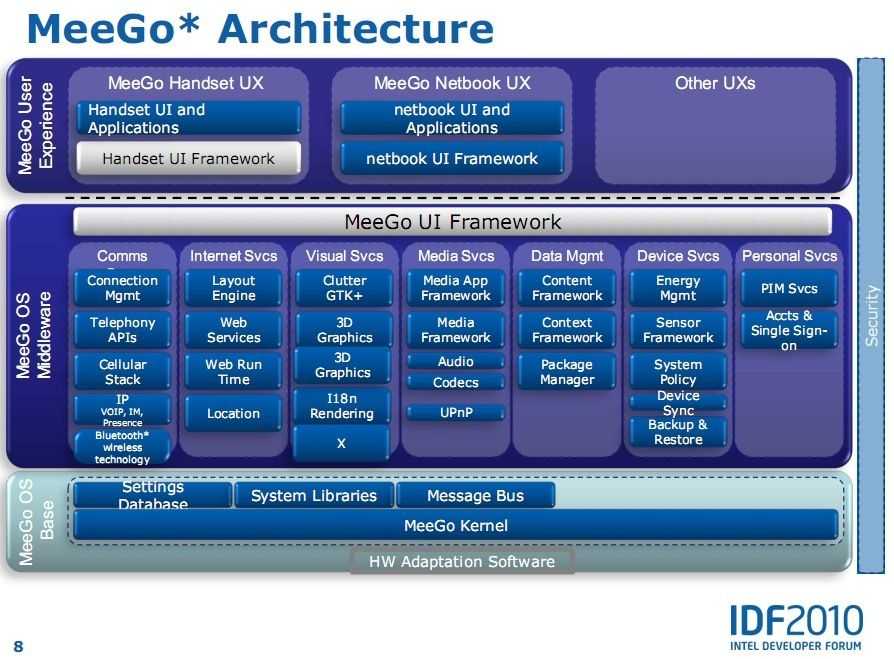
meego-architechture For more (very) detailed information on the MeeGo stack and the development toolkit, download and read SFTS010 from the content catalogue. (I can’t directly link as it’s a one-time URL used for statistics and tracking.)

all the above slides were taken from the publicly available PDF file SFTS009 available through in content catalogue.

Stay tuned to that catalogue over the next 48 hours as more PDF’s feed in. Particularly interesting could be the Moorestown presentation.

Sort Products In Our Product Database By:

Partners

Archives