Don’t forget that we’re doing a Live Review of the Flyer on Wednesday evening at 2100 CEST (your timezone here) where we do a detailed, 2hr review of the HTC Flyer with you in the chat session asking questions and steering the testing. It’s free, fun, detailed and interactive and likely to give you all the answers you need.
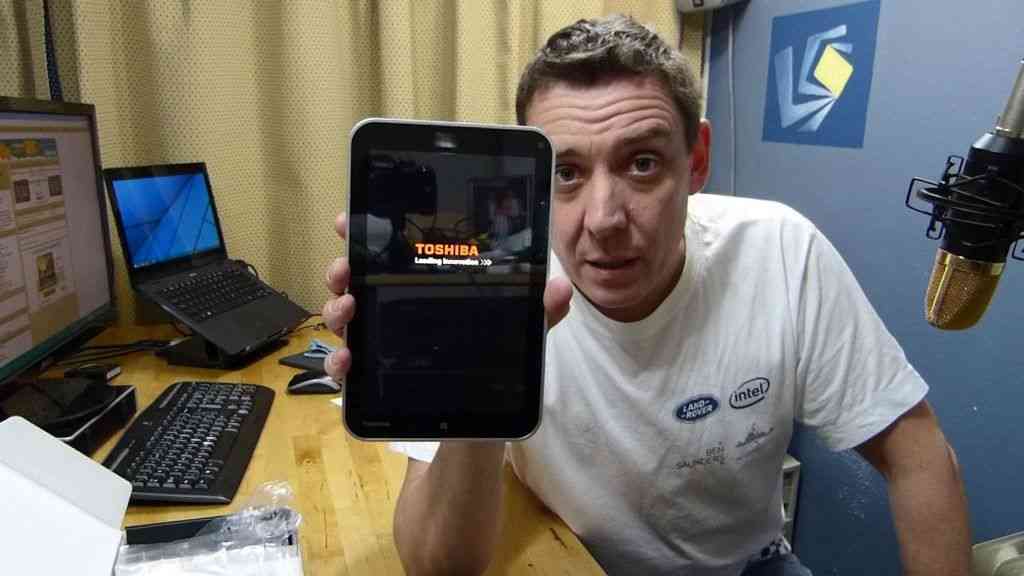
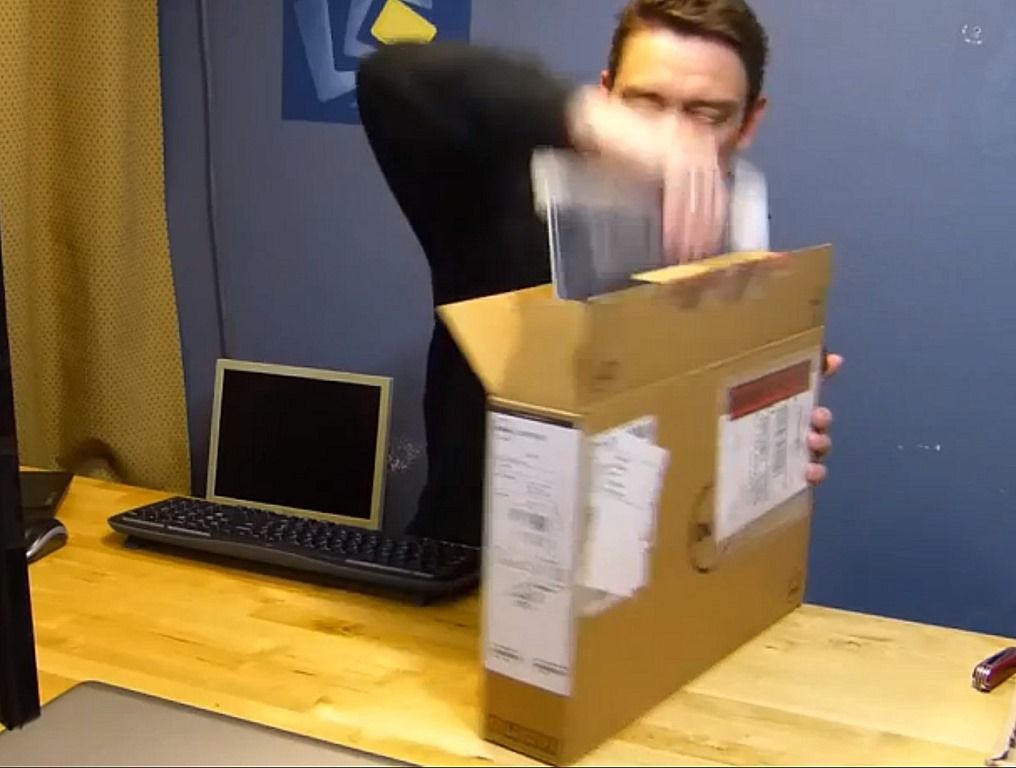
In the meantime, here’s the unboxing and overview video. I’ve got no comments at the moment apart from saying that the start-up sequence was smooth and that I’m a little bit underwhelmed by the pen input. Annotations seem OK but this is nothing that competes with the pen input capabilities of Windows 7, even on mobile PC devices.
The HTC Flyer I ordered on Friday has literally just arrived at the door and Im looking forward to ripping this open and seeing how it compares to the Galaxy Tab which is currently the most popular 7″ tablet on the market and has been a very good companion to me for over 6 months now. Expect an unboxing video soon. The Live Review will be held on Wednesday evening at 2100 CEST (Berlin.)
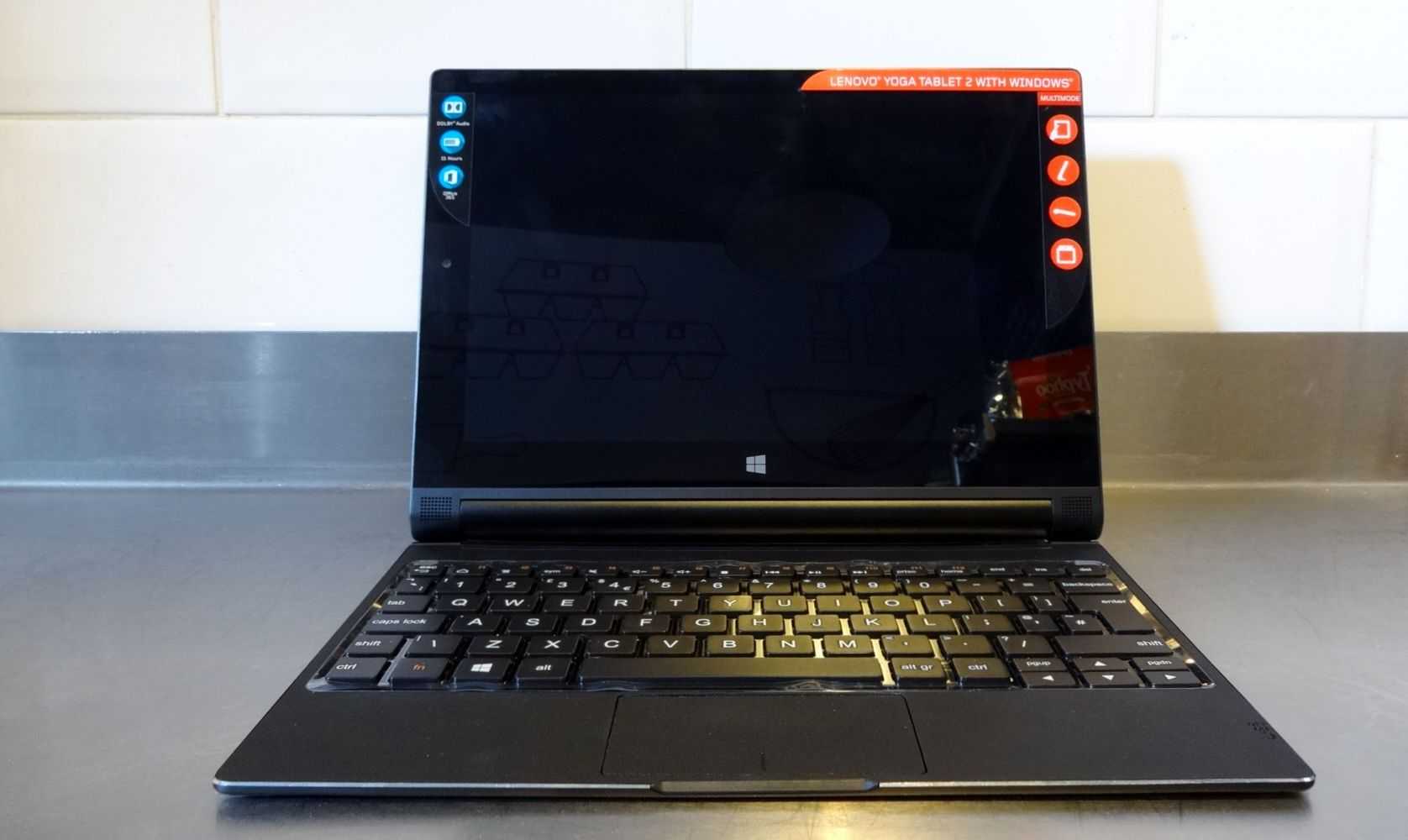
In terms of features, there are definitely a few to talk about and some that are unique to the Flyer ensuring at least some sales. The #1 feature is the digitizer input layer and active pen that integrates with a special input mode on the Flyer. Annotations and notes.made though this layer can be captured into the Evernote cloud storage, OCR and search application. It’s a well known and well trusted application and the integration will carry a lot of value. I hope a full Evernote license is included for offline notes.
There’s also the 1.5Ghz CPU to consider. It should provide a noticeable jump in performance over the Galaxy Tab.
There are two major issues to consider and either of these could be show-stoppers. Firstly, assuming you want to use a 7″ tablet for pen input (something I’ve never been a big fan of over the years that I’ve been reporting about tablets) you’ve got to remember to take the pen with you. There’s no integrated.storage which is really quite an issue. I’ll have to test that all-important palm rejection too.
Then there’s the price. As i write this, the Flyer 16Gb WiFi version is €499. The Galaxy Tab WiFi is available for €269. This issue will reduce over time as margins reduce but it may never catch up with the price of the Tab due to the screen technology used. You’ve got to be a pen-input fan that remembers to take the pen or someone that really really needs the extra CPU power.
Or are the other features worth considering? It’s true that not many tablets offer video content for download and streaming so HTC Watch will be an important service to check out. If the content and price is good, it’s a great feature. OnLive-CloudGaming is also a feature to check out. Dual-location on-frame buttons (that enable and disable depending on rotation) Skype video and HTC Sense are also unique features.I’ll also be interested in the ‘HD’ video recording support and other hidden features that are sure to crop up.
On the downside, it looks like there’s no voice stack (I assume that includes SMS, MMS and Video calling (over UMTS) support. Its something I use a lot on the Galaxy Tab thatnks to Multi-SIM. I get the same number on my Tab and my smartphone.
Is there enough to entices people here? As time goes by and the price comes down into the same range as the Galaxy Tab and Acer Iconia Tab A100, I think there will.
I’m happy to see that the Flyer includes a good-looking case. It’s been far too long since I’ve seen any decent included accessories in today’s tablet-world.
Chris’s video will take you through the box and into the software for a brief look at the totally new HTC Sense and you’ll see some stylus action.
I’m really disappointed to see that the stylus doesn’t work system-wide. As you’ll see in the video, there are times where the stylus can be used for some things, but the finger has to be used for others. I’ve seen such issues before on the Nokia N810; it creates a bothersome disconnect between finger/stylus input usage for the end-user. This could likely be fixed through software, but it’s going to cause some annoyance for people who are interested in using the stylus.
We’ve mentioned the other day that we had an Enspert E201 [tracking page] inbound for testing, and it has arrived. I had to chase the FedEx truck several blocks down to get the box yesterday, and I did it all for you, dear readers! The Enspert e201 (which is available soon, exclusively from Dynamism) is being branded as the Identity Tab, here in the US.
I’m really surprised with the build-quality of the Identity Tab so far. It looks just like an iPad and I’m dreading the “hey is that a mini-iPad?” questions that I’ll get when I’m using it out of the house; they may have copied the aesthetic, but they were fortunately also able to nail the build-quality. I’m really digging the physical buttons on the Identity Tab. The last three Android devices that I’ve tested (and numerous ones that I’ve covered) all use capacitive Android buttons (the Home, Back, Hidden-Menu, and Search buttons). The Identity Tab (though it might be lacking the search button) actually has physical clickable buttons, and I love it! The feedback on them is great, I don’t have to guess whether or not I’ve actually pressed them.
As I mention in the video, the Identity Tab is running Android 2.1 at the moment, but will be updated to 2.2 before shipping to customers. I think this is much better than promising a 2.2 download at some point later because companies sometimes don’t come through (*cough*Samsung*cough*), and even if they do, the process isn’t always easy! The device will also have official Android Market access when Android 2.2 comes through (we’ll have it on the device in about a week) and that will enable us to do much more with it. Stay tuned for more to come from the Identity Tab over the next week or two.
Over at Notion Ink’s official blog Rohan Shravan (CEO) has posted pictures of the shipping progress and several photos of the Adam being unboxed. They’ve done something neat here and actually put a bit of thought into the box that the Adam comes in. The box can function as a simple stand for the device which I think is a great idea. I always find it a shame when companies use nice materials for the boxes of their products, but in the end you can’t do much with it once you take your device out of it. I hope that Notion Ink’s little stand/box idea finds its way to other companies. Check out the unboxing below:
We’ve got our hands on a very unique Android device. Check out our unboxing of the Samsung Galaxy S Continuum [tracking page], which features a secondary AMOLED display which measures 1.8” and has a resolution of 480×96. To activate the display, you squeeze both parts of the bottom part of the phone. The display has definite potential, but will it be able to prove it’s use to escape the ‘gimmick’ tag? Stay tuned for our upcoming full review to find out. If there’s anything in particular you’d like to know about the Continuum, feel free to drop us a line in the comments. (Pro tip: keep an eye on the Continuum’s gallery to get an early look at our photos of the phone before the full review is posted)
The Viewsonic Viewpad 7 arrived just as I was finishing off the Galaxy Tab review today so it’s perfect timing for a close comparison. I won’t be doing that yet though because first-off we need to do the unboxing and overview (below) and the Live Review (info) Join us tomorrow at 8pm London time (2100 CET – other times here) on the Live Page and spread the word! Some new images are going up into the Gallery so keep checking that too. Full specifications and links, gallery and other videos available on our Viewpad 7 tracking page.
Availability information and information about the trade-in program in the UK can be found here. For Germany, keep an eye on MediaMarkt. We hear that France and Netherlands are next in line but there are no confirmed details as yet.
Here’s a short and sweet unboxing of the Samsung Galaxy S phone for Verizon, the Fascinate. This phone has a 1Ghz Samsung Hummingbird CPU, 512MB of RAM, a 4” 800×480 AMOLED screen and is running Android 2.1. Stay tuned for a full review and plenty of other coverage on this so far impressive phone.
Tegra2 testing begins tonight because within the next 3 hours I expect the AC100 to be delivered. It’s on the DHL truck roll so unless anything unexpected happens, we’ll be unboxing a true retail package (yes, one we bought ourselves) later.
The Toshiba AC100 is the first Tegra2 device to hit Europe and only the second true smartbook to hit any global market. We’ve already reviewed the Airlife 100 so now its time to see if Toshiba and Tegra can bring anything new to the table.
Oh, and of course we’ll be running an Email Notification Rave so bring a few beers and join in. “‘Here come the emails!”
Live VIDEO Q&A and chat session on Carrypad.com/live tonight at 2200 Berlin time (1600 New York, see other locations. Approx 11 hours from the time of this post.)
JKKMobile will join to help moderate this independant review session.
We’re sorry for the late notice but with IFA creeping up on us it’s now or never! We hope you can drop in. (parts of the session will be recorded.)
We’ve got our hands on a hot little piece of hardware today and the coverage is coming straight to you, my dear readers. Check out Verizon’s latest Droid phone, the Motorola Droid 2. See our Droid 2 tracking page for full specs and details.
The phone feels very solid despite being a slider and therefore consisting of two big moving parts. It’s also thin enough that I’m certain many people won’t realize that it’s a slider the first time they get it in their hands. I’m already somewhat impressed with the keyboard. I will admit though, my expectations were low after briefly looking at the original Droid’s keyboard, but the Droid 2’s keyboard has more tactile feedback than it might appear to. Though it’s still likely going to be too small for someone with large hands.
Looks like we were one of the lucky people that got our iPhone 4 [Portal page] a day early, and fortunately that means you get to take a look at it a day early with us. Check out the video unboxing below as well as some photos. Just to note, I mentioned that the iPhone 4 doesn’t come with a SIM ejector, but I didn’t say that it also doesn’t come with a polishing cloth as the iPhone 3G once did. Stay tuned for more.
As promised in the last post, I’ve unboxed the Compaq Airlife 100 that turned up today. It’s 20 minutes long but is detailed and shows some of the features of the device including browsing and application installing. Tonight (18th May) at 2200 CEST I’ll be doing a live session with the Airlife so please, drop in and ask questions. More details about the live session in the last post.
The recordings of the Open Review are available in the Meet:Mobility UStream Channel. I’m writing a full review right now. Expected to be posted on Thursday 20th May.
I was about two minutes away from hitting the publish button, on a post about how I was frustrated that the iPad wouldn’t be delivered today, when I got a call from a number I didn’t recognize. It was the UPS driver, he asked me to meet him outside to grab a package. I was told by not only Apple, but also several sources from UPS that iPad’s would not be delivered, here in Hawaii, until Monday because UPS didn’t do Saturday delivery in my area. This was frustrating because we of course wanted to bring our readers coverage of the device from day one (and who isn’t excited to get a new gadget!) but it was starting to look like we wouldn’t be able to do that. Despite the email from Apple and several confirmations from within UPS, the iPad got here on April 3rd, as promised, and the box had a nice big “Saturday” sticker on it. Well played UPS — thanks for getting it here on time even if there was some sort of miscommunication!
So we’ve got our iPad and we’re ready to start checking it out. I’ll spare you are lengthy unboxing as the whole thing is relatively simple, and has been covered to death by the rest of the world by now. I’ll just drop a few pictures and a very short video, and that’ll be that for the unboxing and we’ll quickly move on to the more exciting stuff!
I’ve had a few hours hands-on with the Milestone and I have to say I really loved it. It brings the fun of Android to a really useful form factor and design. The capacitive screen, keyboard and 5mp camera go together to make this an excelent value package. Slightly too small, in my opinion, to be a fully productive web-app tool but for a smartphone, this is about as much as you could hope to get in a 24/7 pocketable package. In this video, JKK of JKKMobile unboxes the Milestone and takes us round the device.